

Cisco træning

Insoft Services er en af de få uddannelsesudbydere i EMEAR, der tilbyder hele spektret af Cisco-certificering og specialiseret teknologiuddannelse.

Lær hvordan

Cisco-certificeringer

Oplev en blandet læringsmetode, der kombinerer det bedste fra instruktørstyret træning og e-læring i eget tempo for at hjælpe dig med at forberede dig til din certificeringseksamen.

Lær hvordan

Cisco Learning Credits

Cisco Learning Credits (CLCs) er forudbetalte træningskuponer, der indløses direkte med Cisco, og som gør det nemmere at planlægge din succes, når du køber Cisco-produkter og -tjenester.

Lær hvordan

Cisco Efteruddannelse

Cisco Continuing Education Program tilbyder alle aktive certificeringsindehavere fleksible muligheder for at gencertificere ved at gennemføre en række kvalificerede træningselementer.

Lær hvordan

Cisco Digital Learning

Certificerede medarbejdere er VÆRDSATTE aktiver. Udforsk Ciscos officielle digitale læringsbibliotek for at uddanne dig selv gennem optagede sessioner.

Lær hvordan

Cisco Business Enablement

Cisco Business Enablement Partner Program fokuserer på at skærpe Cisco Channel Partners og kunders forretningsmæssige færdigheder.

Lær hvordan

Cisco kursuskatalog

Lær hvordan

Fortinet-certificeringer

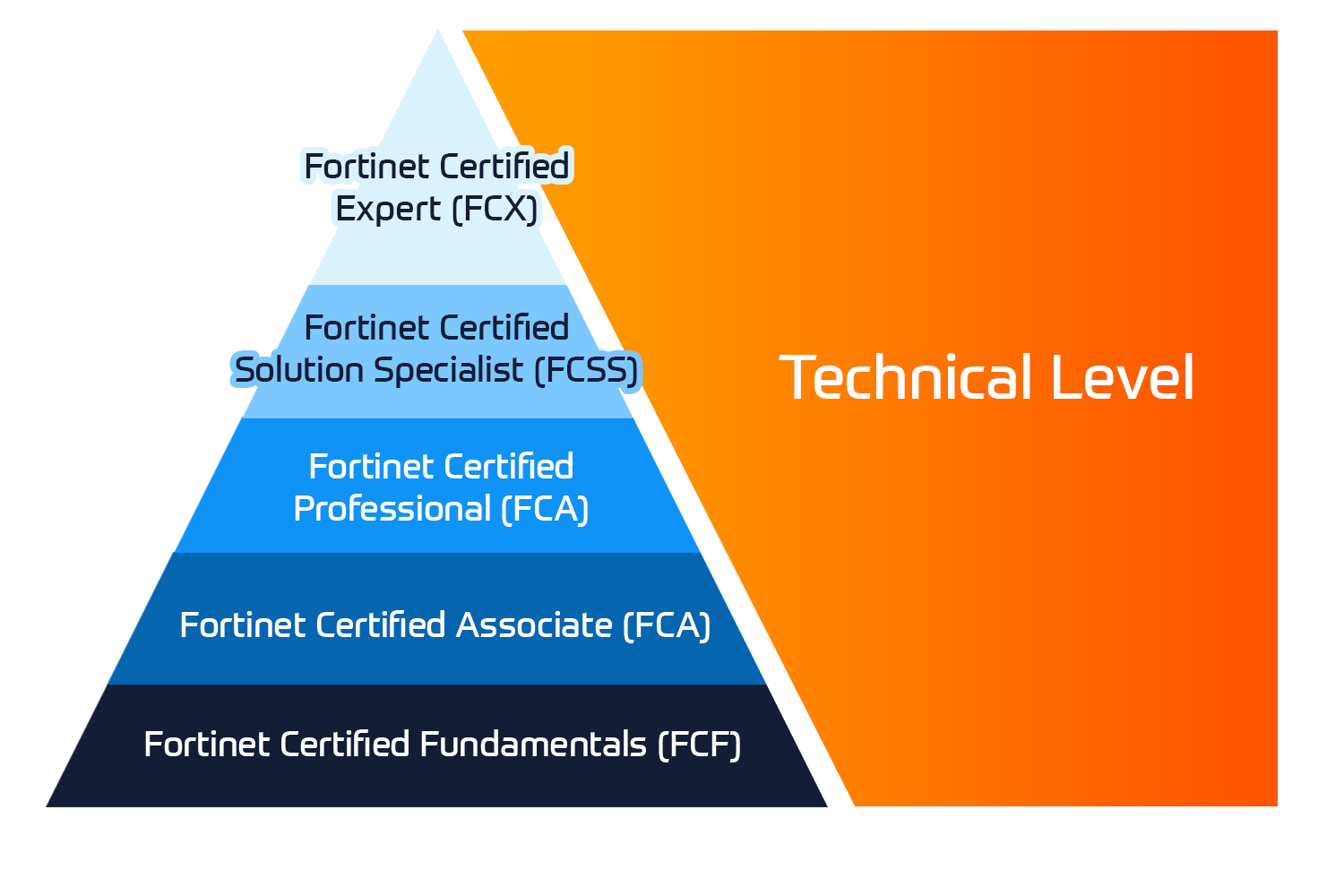
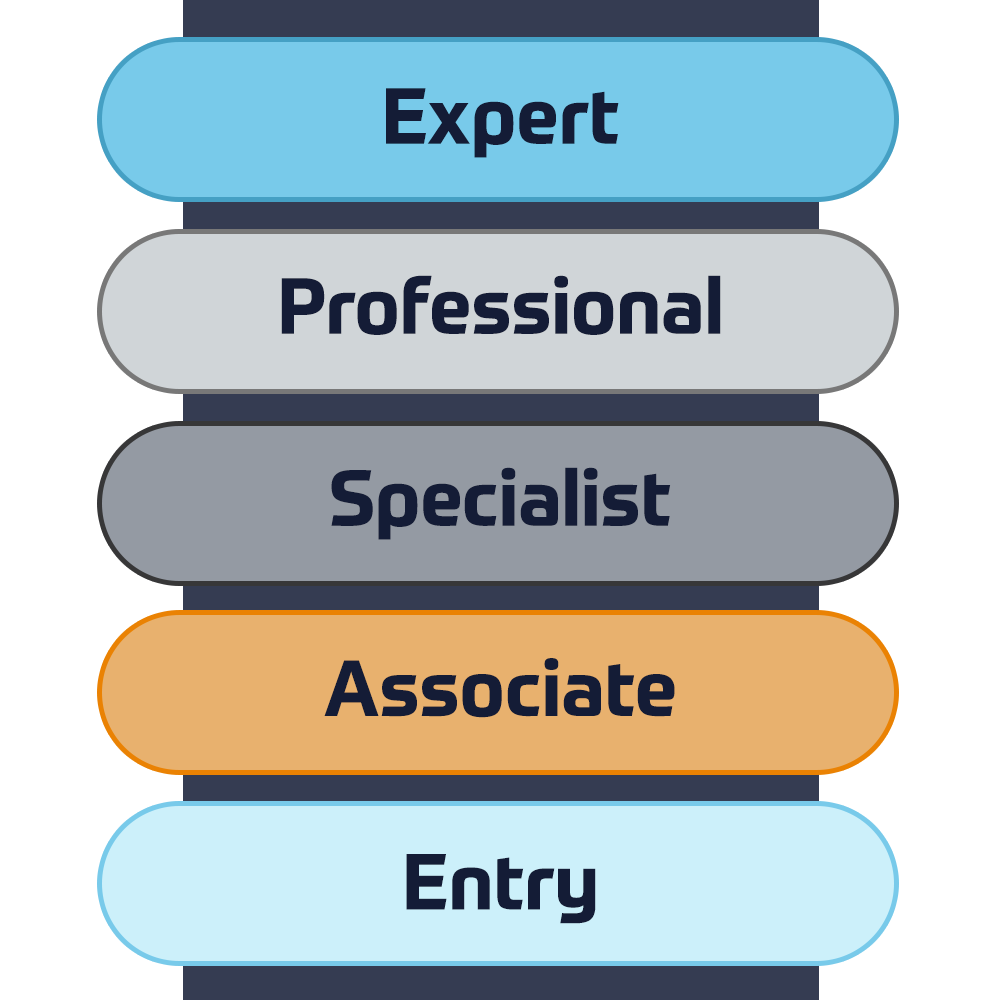
Fortinet Network Security Expert (NSE) -programmet er et otte-niveau uddannelses- og certificeringsprogram for at undervise ingeniører i deres netværkssikkerhed for Fortinet FW-færdigheder og erfaring.

Lær hvordan


Fortinet træning

Insoft er anerkendt som Autoriseret Fortinet Training Center på udvalgte steder på tværs af EMEA.

Tekniske kurser

Fortinet kursuskatalog

Udforsk hele Fortinet-træningskataloget. Programmet omfatter en bred vifte af selvstændige og instruktørledede kurser.

Lær hvordan

ATC-status

Tjek vores ATC-status på tværs af udvalgte lande i Europa.

Lær hvordan

Fortinet Professionelle Services

Globalt anerkendte team af certificerede eksperter hjælper dig med at gøre en mere jævn overgang med vores foruddefinerede konsulent-, installations- og migreringspakker til en lang række Fortinet-produkter.

Lær hvordan

AWS træning

Træningen inkluderer laboratorier i eget tempo til praktisk AWS-øvelse i virkelige scenarier, så du kan lære i dit eget tempo, i klassen, på arbejdet eller online.

Tekniske kurser

Extreme træning

Find all the Extreme Networks online and instructor led class room based calendar here.

Tekniske kurser

Tekniske certificeringer

Vi leverer omfattende læseplan for tekniske kompetencefærdigheder på certificeringspræstationen.

Lær hvordan

Extreme kursuskatalog

Lær hvordan

ATP-akkreditering

Som autoriseret uddannelsespartner (ATP) sikrer Insoft Services, at du får de højeste uddannelsesstandarder, der findes.

Lær hvordan

Løsninger og tjenester

Vi leverer innovativ og avanceret support til design, implementering og optimering af IT-løsninger. Vores kundebase omfatter nogle af de største Telcos globalt.

Lær hvordan

Globalt anerkendte team af certificerede eksperter hjælper dig med at gøre en mere jævn overgang med vores foruddefinerede konsulent-, installations- og migreringspakker til en lang række Fortinet-produkter.


Om os

Insoft tilbyder autoriseret uddannelses- og konsulentbistand til udvalgte IP-leverandører. Få mere at vide om, hvordan vi revolutionerer branchen.

Lær hvordan


  • +45 32 70 99 90
  • FortiSOAR Administrator

    Duration
    2 Dage (8 hours/day)
    3 Dage (half day sessions)
    Delivery
    (Online Og På stedet)
    Price
    Pris på forespørgsel

    In this course, you will learn about FortiSOAR architecture, and how to deploy, configure, manage, operate, and monitor FortiSOAR in a SOC environment. You will learn about various system customization options, HA deployment, security management using role-based access control (RBAC), and various system monitoring tools.


    Product Versions:

    • FortiSOAR 7.3.0

    Exam:


    Associated Certifications:

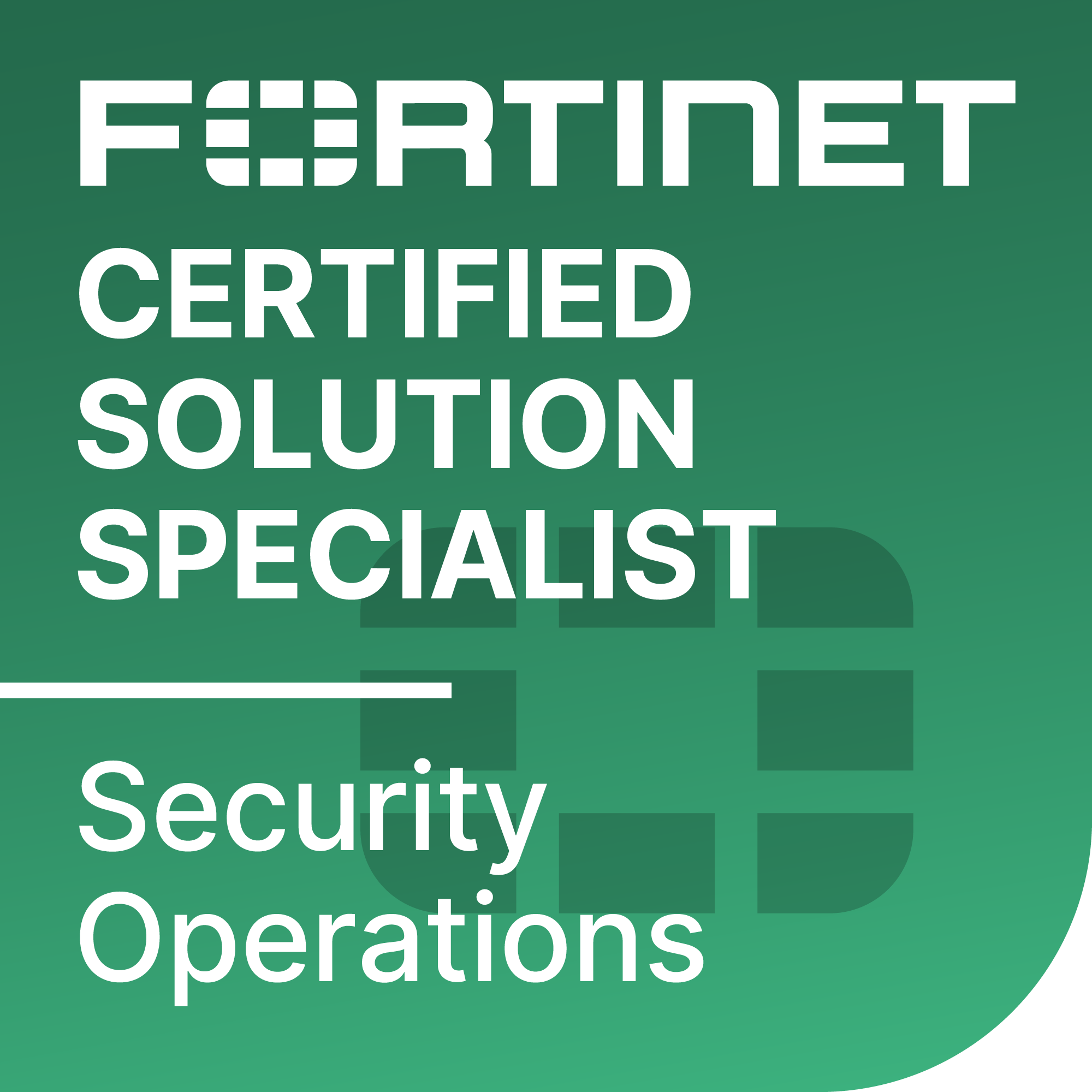
    • This course is intended to help you prepare for the Fortinet NSE 6 – FortiSOAR Administrator exam. This exam is part of the FCSS Security Operations certification track..

    Please note:

    • This course is delivered by the Fortinet team.

    After completing this course, you should be able to:

    • Plan a FortiSOAR deployment
    • Identify the role of SOAR in assisting security teams
    • Describe incidents and alerts in a SOC environment
    • Configure applications
    • Manage audit logs
    • Export and import a FortiSOAR modular configuration
    • Perform a full database backup and restore
    • Describe the different types of services in the FortiSOAR Content Hub
    • Configure connectors for devices
    • Configure connectors through agents
    • Configure data ingestion from cybersecurity devices
    • Configure data ingestion from external indicator of compromise (IOC) feeds
    • Configure role-based access control (RBAC)
    • Configure teams
    • Configure roles and users
    • Configure authentication
    • Configure SLA templates
    • Configure shift management queues
    • Review Elasticsearch basics
    • Review FortiSOAR recommendation engines
    • Configure Elasticsearch based record similarity
    • Configure machine learning (ML)
    • Describe how to delegate incidents across different teams
    • Configure war rooms
    • Describe the different ways to configure FortiSOAR for multiple tenants
    • Configure a multi-tenant architecture
    • Configure the secure message exchange (SME) server
    • Perform operations on a tenant FortiSOAR server
    • Identify different high availability (HA) implementation prerequisites and configuration options
    • Manage cluster licensing
    • Configure HA with an internal or external PostgreSQL database
    • Identify HA best practices
    • Configure system monitoring and notifications
    • Configure the system health check widget
    • Configure different levels of logging
    • Review FortiSOAR services and processes
    1. Introduction to FortiSOAR
    2. System Configuration
    3. FortiSOAR Content Configuration
    4. User Administration
    5. Searching and Incident Response
    6. Multi-Tenancy
    7. High Availability
    8. System Monitoring and Troubleshooting

    Cybersecurity professionals responsible for planning, deploying, configuring, and managing FortiSOAR deployments in a SOC environment should attend this course.

    It is recommended that you be familiar with SOC technologies and processes.

    In this course, you will learn about FortiSOAR architecture, and how to deploy, configure, manage, operate, and monitor FortiSOAR in a SOC environment. You will learn about various system customization options, HA deployment, security management using role-based access control (RBAC), and various system monitoring tools.


    Product Versions:

    • FortiSOAR 7.3.0

    Exam:


    Associated Certifications:

    • This course is intended to help you prepare for the Fortinet NSE 6 – FortiSOAR Administrator exam. This exam is part of the FCSS Security Operations certification track..

    Please note:

    • This course is delivered by the Fortinet team.

    After completing this course, you should be able to:

    • Plan a FortiSOAR deployment
    • Identify the role of SOAR in assisting security teams
    • Describe incidents and alerts in a SOC environment
    • Configure applications
    • Manage audit logs
    • Export and import a FortiSOAR modular configuration
    • Perform a full database backup and restore
    • Describe the different types of services in the FortiSOAR Content Hub
    • Configure connectors for devices
    • Configure connectors through agents
    • Configure data ingestion from cybersecurity devices
    • Configure data ingestion from external indicator of compromise (IOC) feeds
    • Configure role-based access control (RBAC)
    • Configure teams
    • Configure roles and users
    • Configure authentication
    • Configure SLA templates
    • Configure shift management queues
    • Review Elasticsearch basics
    • Review FortiSOAR recommendation engines
    • Configure Elasticsearch based record similarity
    • Configure machine learning (ML)
    • Describe how to delegate incidents across different teams
    • Configure war rooms
    • Describe the different ways to configure FortiSOAR for multiple tenants
    • Configure a multi-tenant architecture
    • Configure the secure message exchange (SME) server
    • Perform operations on a tenant FortiSOAR server
    • Identify different high availability (HA) implementation prerequisites and configuration options
    • Manage cluster licensing
    • Configure HA with an internal or external PostgreSQL database
    • Identify HA best practices
    • Configure system monitoring and notifications
    • Configure the system health check widget
    • Configure different levels of logging
    • Review FortiSOAR services and processes
    1. Introduction to FortiSOAR
    2. System Configuration
    3. FortiSOAR Content Configuration
    4. User Administration
    5. Searching and Incident Response
    6. Multi-Tenancy
    7. High Availability
    8. System Monitoring and Troubleshooting

    Cybersecurity professionals responsible for planning, deploying, configuring, and managing FortiSOAR deployments in a SOC environment should attend this course.

    It is recommended that you be familiar with SOC technologies and processes.

      Kommende datoer
    • ` 13 Jul - 14 Jul, 2026
    • ` 10 Aug - 11 Aug, 2026
    • ` 7 Sep - 8 Sep, 2026
    • ` 5 Oct - 6 Oct, 2026
    • ` 2 Nov - 3 Nov, 2026
    • ` 30 Nov - 1 Dec, 2026

    Follow Up Courses

    Filtrer
    • 3 Dage

      13 Jul - 15 Jul, 2026

      10 Aug - 12 Aug, 2026

      7 Sep - 9 Sep, 2026

      5 Oct - 7 Oct, 2026

      2 Nov - 4 Nov, 2026

      30 Nov - 2 Dec, 2026

      Price on Request
      Book Now
    • 3 Dage

      13 Jul - 15 Jul, 2026

      10 Aug - 12 Aug, 2026

      7 Sep - 9 Sep, 2026

      5 Oct - 7 Oct, 2026

      2 Nov - 4 Nov, 2026

      30 Nov - 2 Dec, 2026

      Price on Request
      Book Now
    • 3 Dage

      20 Jul - 22 Jul, 2026

      17 Aug - 19 Aug, 2026

      14 Sep - 16 Sep, 2026

      12 Oct - 14 Oct, 2026

      9 Nov - 11 Nov, 2026

      Price on Request
      Book Now
    • 2 Dage

      20 Jul - 21 Jul, 2026

      17 Aug - 18 Aug, 2026

      14 Sep - 15 Sep, 2026

      12 Oct - 13 Oct, 2026

      9 Nov - 10 Nov, 2026

      Price on Request
      Book Now
    • 2 Dage

      13 Jul - 14 Jul, 2026

      10 Aug - 11 Aug, 2026

      7 Sep - 8 Sep, 2026

      5 Oct - 6 Oct, 2026

      2 Nov - 3 Nov, 2026

      30 Nov - 1 Dec, 2026

      Price on Request
      Book Now
    • 3 Dage

      6 Jul - 8 Jul, 2026

      3 Aug - 5 Aug, 2026

      31 Aug - 2 Sep, 2026

      28 Sep - 30 Sep, 2026

      26 Oct - 28 Oct, 2026

      23 Nov - 25 Nov, 2026

      Price on Request
      Book Now
    • 3 Dage

      13 Jul - 15 Jul, 2026

      10 Aug - 12 Aug, 2026

      7 Sep - 9 Sep, 2026

      5 Oct - 7 Oct, 2026

      2 Nov - 4 Nov, 2026

      30 Nov - 2 Dec, 2026

      Price on Request
      Book Now
    • 3 Dage

      6 Jul - 8 Jul, 2026

      3 Aug - 5 Aug, 2026

      31 Aug - 2 Sep, 2026

      28 Sep - 30 Sep, 2026

      26 Oct - 28 Oct, 2026

      23 Nov - 25 Nov, 2026

      Price on Request
      Book Now
    • 2 Dage

      20 Jul - 21 Jul, 2026

      17 Aug - 18 Aug, 2026

      14 Sep - 15 Sep, 2026

      12 Oct - 13 Oct, 2026

      9 Nov - 10 Nov, 2026

      Price on Request
      Book Now
    • 4 Dage

      6 Jul - 9 Jul, 2026

      3 Aug - 6 Aug, 2026

      31 Aug - 3 Sep, 2026

      28 Sep - 1 Oct, 2026

      26 Oct - 29 Oct, 2026

      23 Nov - 26 Nov, 2026

      Price on Request
      Book Now

    Know someone who´d be interested in this course?
    Let them know...

    Use the hashtag #InsoftLearning to talk about this course and find students like you on social media.