



Cisco Training Courses

Insoft has been serving IT community with official Cisco training offering since 2010. Find all the relevant information on Cisco training on this page.

View More

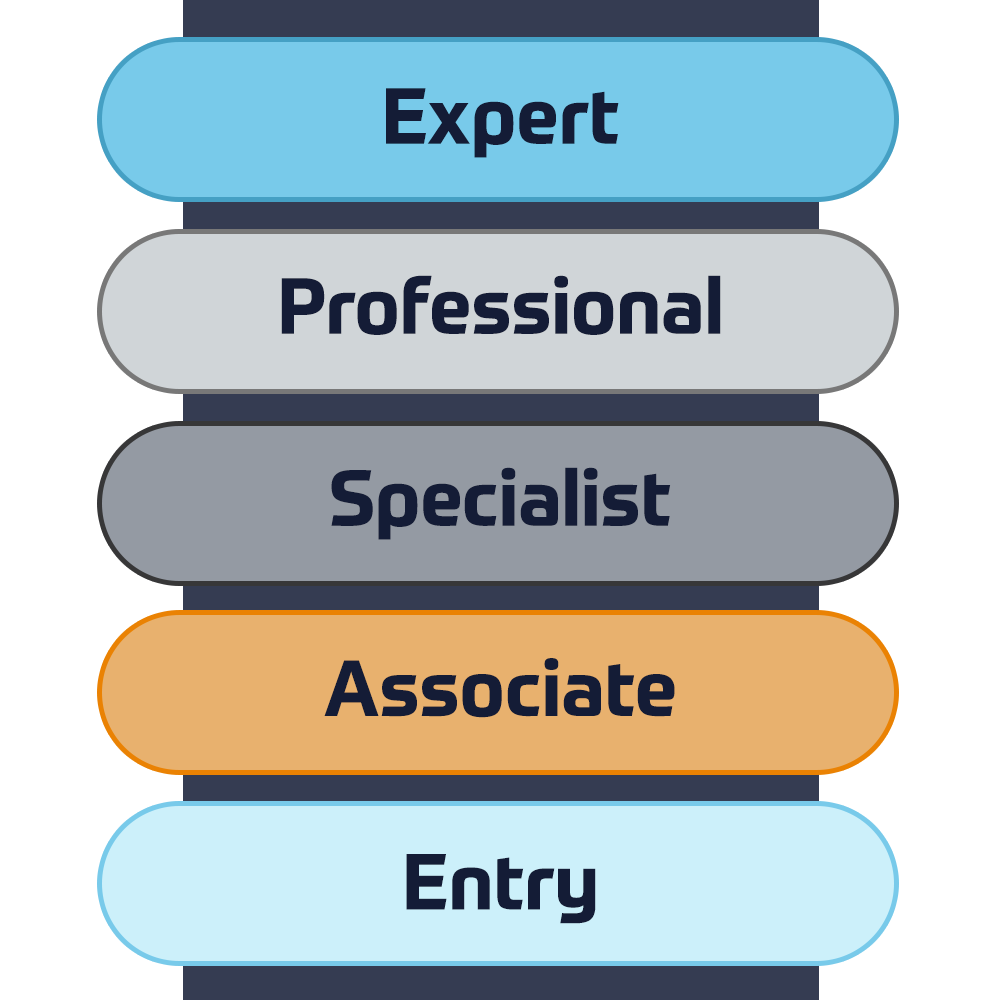
Cisco Certifications

Experience a blended learning approach that combines the best of instructor-led training and self-paced e-learning to help you prepare for your certification exam.

View More

Cisco Training Catalogue

Explore a wide variety of the Cisco courses, across different countries as well as online courses.

Browse Catalogue

Cisco Learning Credits

Cisco Learning Credits (CLCs) are prepaid training vouchers redeemed directly with Cisco that make planning for your success easier when purchasing Cisco products and services.

Have CLCs and want to redeem them?

Cisco Continuing Education

The Cisco Continuing Education Program offers all active certification holders flexible options to recertify by completing a variety of eligible training items.

View More

Cisco Digital Learning

Certified employees are VALUED assets. Explore Cisco official Digital Learning Library to educate yourself through recorded sessions.

Browse CDLL Catalogue

Cisco Business Enablement

The Cisco Business Enablement Partner Program focuses on sharpening the business skills of Cisco Channel Partners and customers.

View More
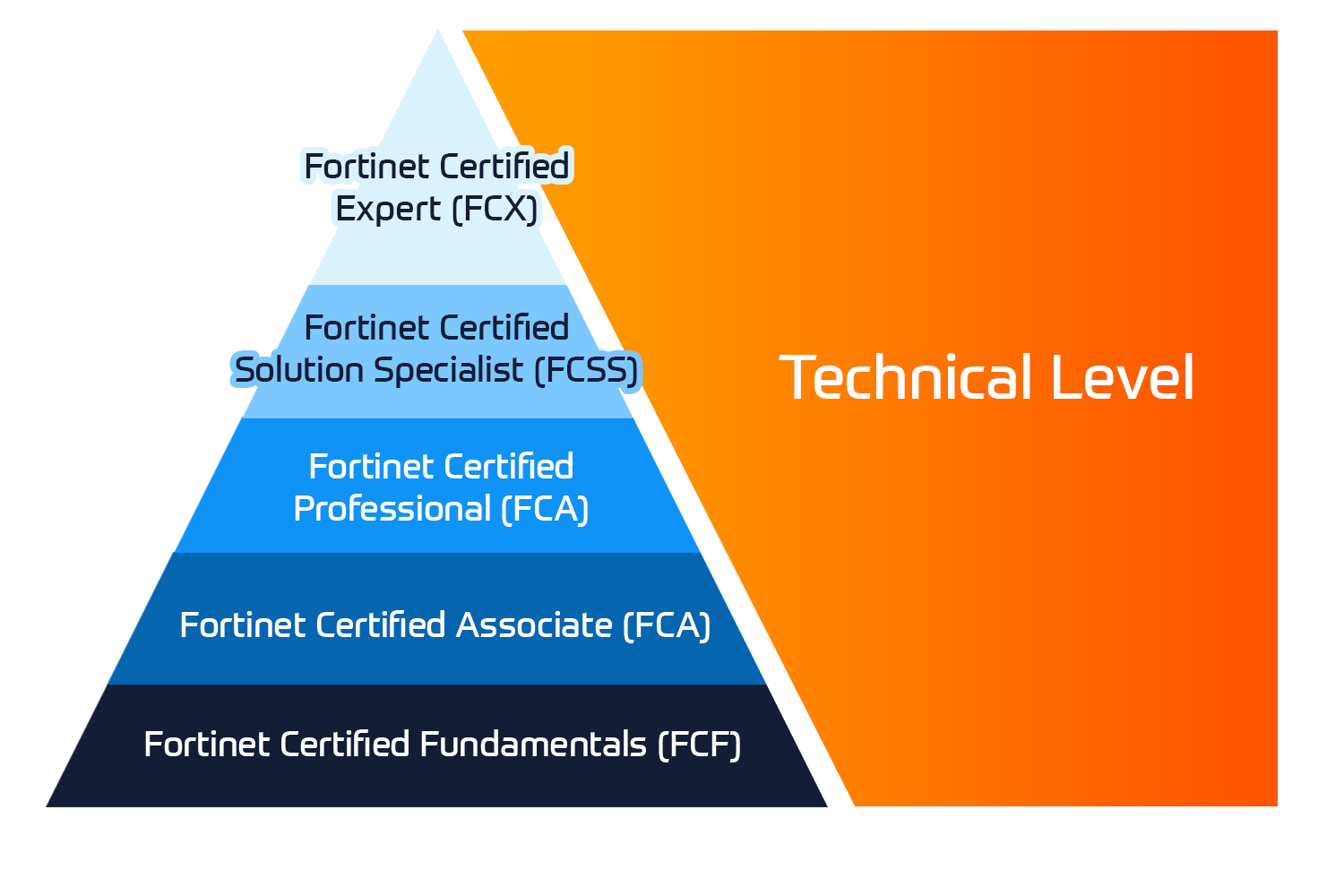
Fortinet Technical Certifications

The Fortinet Network Security Expert (NSE) program is an eight-level training and certification program to teach engineers of their network security for Fortinet FW skills and experience.

View More


Fortinet Technical Courses

Insoft is recognised as Fortinet Authorized Training Center in selected locations across EMEA.

View More

Fortinet Training Catalogue

Explore the full Fortinet training catalogue. The program includes a wide range of self-paced and instructor-led courses.

Browse Catalogue

Official ATC Status

Check our ATC Status across selected countries in Europe.

View More

Fortinet Services Packages

Insoft Services has developed a specific solution to streamline and simplify the process of installing or migrating to Fortinet Products.

Browse Packages

Prepforce Bootcamp

The only comprehensive source available today to prepare for Fortinet NSE 8 certification globally.

View More

Microsoft Training

Insoft Services provides Microsoft training in EMEAR. We offer Microsoft technical training and certification courses that are led by world-class instructors.

View More


Technical Training

The evolution of Extreme Networks Technical Training provides a comprehensive progressive pathway from Associate to Professional accreditation.

View More


Technical Certification

We provide comprehensive curriculum of technical competency skills on the certification accomplishment.

View More

Courses Catalogue

Find all the Extreme Networks online and instructor led class room based calendar here.

View More

ATP Accreditation

As an authorised training partner (ATP), Insoft Services ensures that you receive the highest standards of education available.

View More

Consulting package

We provide innovative and advanced support for designing, implementing and optimising IT solutions. Our client-base includes some of the largest Telcos globally.

Solutions and services

Globally recognised team of certified experts helps you make a smoother transition with our pre-defined consultancy, installation and migration packages for a wide range of Fortinet products.


About Us

Our training portfolio includes a wide range of IT training from IP providers, including Cisco, Extreme Networks, Fortinet, Microsoft, to name a few, in EMEA.

View More


  • +44 20 7131 0263
  • Applied Data Visualization with R and ggplot2

    Duration
    1 days
    Delivery
    (Online and onsite)
    Price
    Price Upon Request
    The Applied Data Visualization with R and ggplot2 is a one-day course that will equip you with the skills and knowledge required to apply ggplot2 to specific problems and obtain results quickly. You will learn the basic concepts of ggplot2 and the Grammar of Graphics through illustrative examples. You will then generate solutions for problems of incremental complexity as the course goes on. Lastly, you will master advanced plotting techniques that will enable you to add more detail and develop the quality of your graphics. The ggplot2 is an open-source package for the R programming language that employs the concept of the Grammar of Graphics to help users build complex and aesthetic visualizations. This is a fast-paced, practical course aimed at experienced developers and system architects. As you progress, you will find helpful tips and tricks, as well as useful self-assessment material, exercises, and activities to help you benchmark your progress and reinforce what youve learned. The activities have been devised to simulate real-world conditions in order to equip you with the necessary skills to accelerate software deployment while still maintaining security, portability, and affordability.  

    LESSON 1- BASIC PLOTTING IN GGPLOT2

    • Introduction to ggplot2
    • Geometric Objects
    • The Grammar of Graphics

    LESSON 2- THE GRAMMAR OF GRAPHICS AND VISUAL COMPONENTS

    • More on the Grammar of Graphics
    • Facets
    • Changing Styles and Colors
    • Geoms and Statistical Summaries

    LESSON 3- ADVANCED GEOMS AND STATISTICS

    • Advanced Plotting Techniques
    • Time Series
    • Maps
    • Trends, Correlations, and Statistical Summaries

    This course is meant for professionals who work with data and use R as part of their workflow. It also targets students who want to extend and enhance their data analysis skills by adding complex, informative, and professional visualizations. This course will not cover the basics of R commands and objects, so students are expected to have some familiarity with the R language.

    Hardware:

    For successful completion of this course, students will require computer systems with the following:

    • Processor: Intel Core i5 or equivalent
    • Memory: 4 GB RAM
    • Storage: 35 GB available space


    Software:

    • Operating System: Windows 7 SP1 64-bit, Windows 8.1 64-bit, or Windows 10 64-bit
    • Browser: Google Chrome (latest version)
    • R (latest version)
    • RStudio (latest version)


    Installation and Setup

    Before you start with this course, we’ll install R and RStudio. Here, you will find the steps to install these.


    Installing R

    1. To install the R package and libraries, go to http://cran.us.r-project.org/ in your browser.
    2. Click on Download R for Windows, click on base, and then click on Download R 3.5.0 for Windows (or any newer version that appears).
    3. Install R. Leave all default settings in the installation options as they are.


    Installing RStudio

    1. To install RStudio, go to http://rstudio.org/download/desktop .
    2. Choose the default installation.
    3. Open RStudio after installation. It uses the underlying R package and will open it automatically in the IDE:
    The Applied Data Visualization with R and ggplot2 is a one-day course that will equip you with the skills and knowledge required to apply ggplot2 to specific problems and obtain results quickly. You will learn the basic concepts of ggplot2 and the Grammar of Graphics through illustrative examples. You will then generate solutions for problems of incremental complexity as the course goes on. Lastly, you will master advanced plotting techniques that will enable you to add more detail and develop the quality of your graphics. The ggplot2 is an open-source package for the R programming language that employs the concept of the Grammar of Graphics to help users build complex and aesthetic visualizations. This is a fast-paced, practical course aimed at experienced developers and system architects. As you progress, you will find helpful tips and tricks, as well as useful self-assessment material, exercises, and activities to help you benchmark your progress and reinforce what youve learned. The activities have been devised to simulate real-world conditions in order to equip you with the necessary skills to accelerate software deployment while still maintaining security, portability, and affordability.  

    LESSON 1- BASIC PLOTTING IN GGPLOT2

    • Introduction to ggplot2
    • Geometric Objects
    • The Grammar of Graphics

    LESSON 2- THE GRAMMAR OF GRAPHICS AND VISUAL COMPONENTS

    • More on the Grammar of Graphics
    • Facets
    • Changing Styles and Colors
    • Geoms and Statistical Summaries

    LESSON 3- ADVANCED GEOMS AND STATISTICS

    • Advanced Plotting Techniques
    • Time Series
    • Maps
    • Trends, Correlations, and Statistical Summaries

    This course is meant for professionals who work with data and use R as part of their workflow. It also targets students who want to extend and enhance their data analysis skills by adding complex, informative, and professional visualizations. This course will not cover the basics of R commands and objects, so students are expected to have some familiarity with the R language.

    Hardware:

    For successful completion of this course, students will require computer systems with the following:

    • Processor: Intel Core i5 or equivalent
    • Memory: 4 GB RAM
    • Storage: 35 GB available space


    Software:

    • Operating System: Windows 7 SP1 64-bit, Windows 8.1 64-bit, or Windows 10 64-bit
    • Browser: Google Chrome (latest version)
    • R (latest version)
    • RStudio (latest version)


    Installation and Setup

    Before you start with this course, we’ll install R and RStudio. Here, you will find the steps to install these.


    Installing R

    1. To install the R package and libraries, go to http://cran.us.r-project.org/ in your browser.
    2. Click on Download R for Windows, click on base, and then click on Download R 3.5.0 for Windows (or any newer version that appears).
    3. Install R. Leave all default settings in the installation options as they are.


    Installing RStudio

    1. To install RStudio, go to http://rstudio.org/download/desktop .
    2. Choose the default installation.
    3. Open RStudio after installation. It uses the underlying R package and will open it automatically in the IDE:
      Upcoming Dates
      Date on Request

    Follow Up Courses

    Filter
    • 3 days
      Date on Request
      Price on Request
      Book Now
    • 3 days
      Date on Request
      Price on Request
      Book Now
    • 5 days
      Date on Request
      Price on Request
      Book Now
    • 5 days
      Date on Request
      Price on Request
      Book Now
    • 3 days
      Date on Request
      Price on Request
      Book Now
    • 4 days
      Date on Request
      Price on Request
      Book Now
    • 5 days
      Date on Request
      Price on Request
      Book Now
    • 5 days
      Date on Request
      Price on Request
      Book Now
    • 4 days
      Date on Request
      Price on Request
      Book Now
    • 2 days
      Date on Request
      Price on Request
      Book Now

    Know someone who´d be interested in this course?
    Let them know...

    Use the hashtag #InsoftLearning to talk about this course and find students like you on social media.