


Cisco Training Courses

Insoft has been serving IT community with official Cisco training offering since 2010. Find all the relevant information on Cisco training on this page.

View More

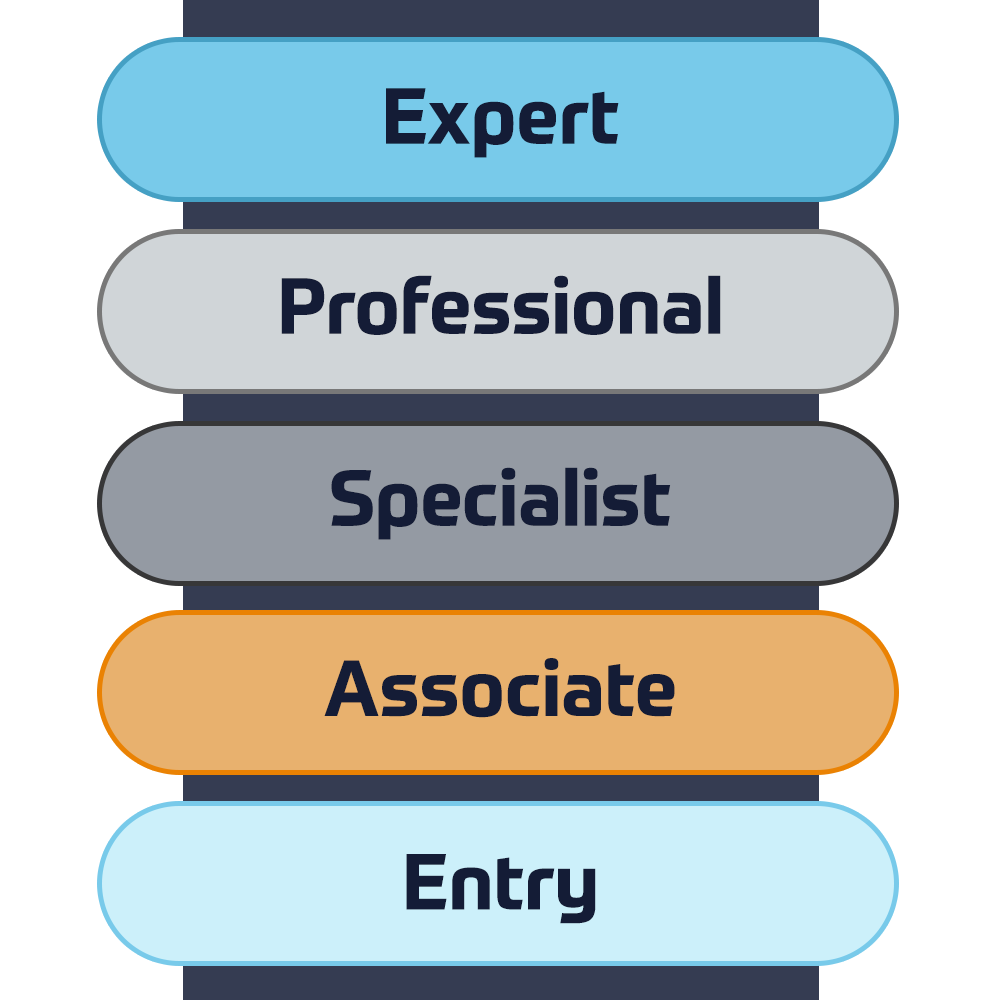
Cisco Certifications

Experience a blended learning approach that combines the best of instructor-led training and self-paced e-learning to help you prepare for your certification exam.

View More

Cisco Training Catalogue

Explore a wide variety of the Cisco courses, across different countries as well as online courses.

Browse Catalogue

Cisco Learning Credits

Cisco Learning Credits (CLCs) are prepaid training vouchers redeemed directly with Cisco that make planning for your success easier when purchasing Cisco products and services.

Have CLCs and want to redeem them?

Cisco Continuing Education

The Cisco Continuing Education Program offers all active certification holders flexible options to recertify by completing a variety of eligible training items.

View More

Cisco Digital Learning

Certified employees are VALUED assets. Explore Cisco official Digital Learning Library to educate yourself through recorded sessions.

Browse CDLL Catalogue

Cisco Business Enablement

The Cisco Business Enablement Partner Program focuses on sharpening the business skills of Cisco Channel Partners and customers.

View More
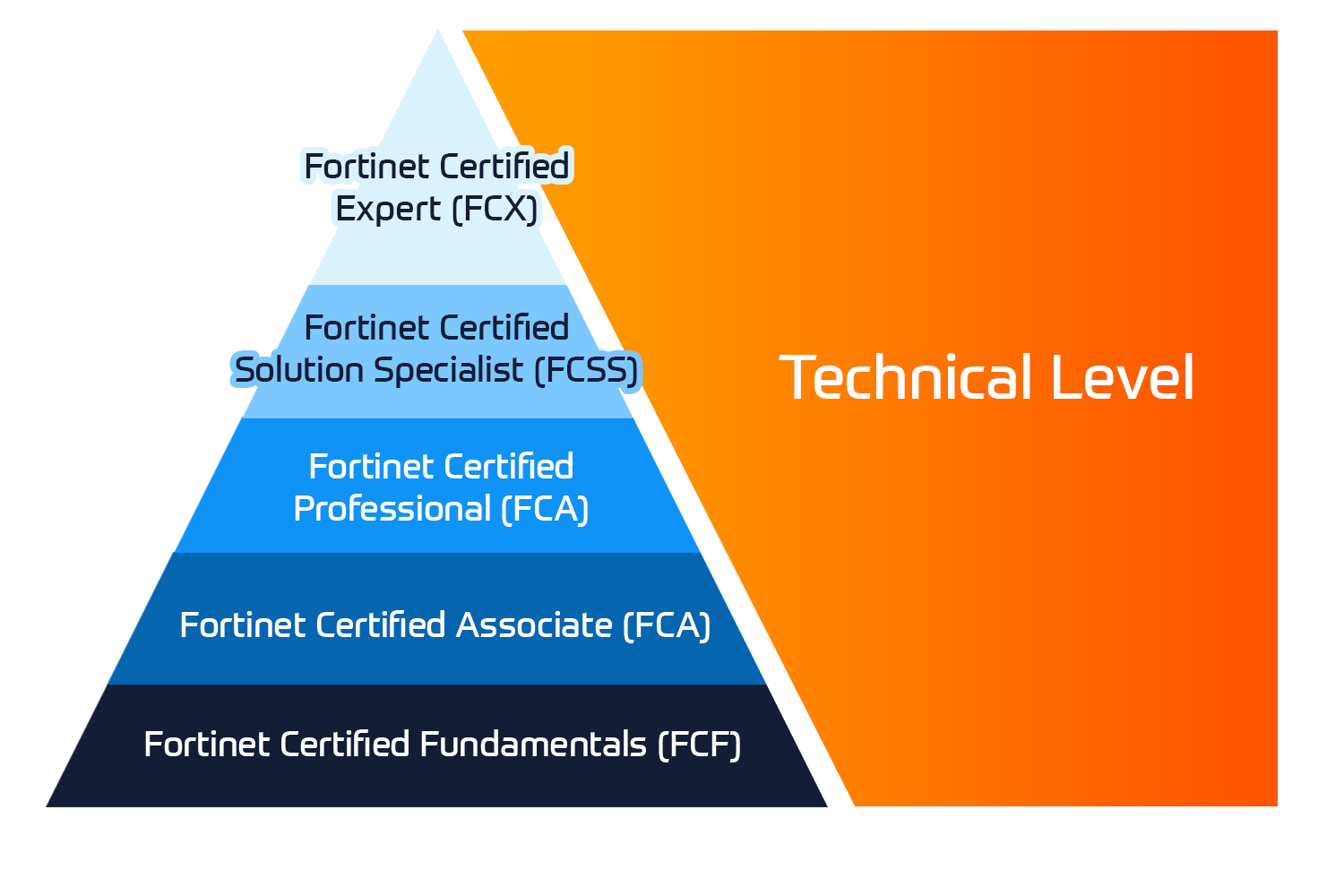
Fortinet Technical Certifications

The Fortinet Network Security Expert (NSE) program is an eight-level training and certification program to teach engineers of their network security for Fortinet FW skills and experience.

View More


Fortinet Technical Courses

Insoft is recognised as Fortinet Authorized Training Center in selected locations across EMEA.

View More

Fortinet Training Catalogue

Explore the full Fortinet training catalogue. The program includes a wide range of self-paced and instructor-led courses.

Browse Catalogue

Official ATC Status

Check our ATC Status across selected countries in Europe.

View More

Fortinet Services Packages

Insoft Services has developed a specific solution to streamline and simplify the process of installing or migrating to Fortinet Products.

Browse Packages

Prepforce Bootcamp

The only comprehensive source available today to prepare for Fortinet NSE 8 certification globally.

View More

Microsoft Training

Insoft Services provides Microsoft training in EMEAR. We offer Microsoft technical training and certification courses that are led by world-class instructors.

View More


Technical Training

The evolution of Extreme Networks Technical Training provides a comprehensive progressive pathway from Associate to Professional accreditation.

View More

Technical Certification

We provide comprehensive curriculum of technical competency skills on the certification accomplishment.

View More

Courses Catalogue

Find all the Extreme Networks online and instructor led class room based calendar here.

View More

ATP Accreditation

As an authorised training partner (ATP), Insoft Services ensures that you receive the highest standards of education available.

View More

Consulting package

We provide innovative and advanced support for designing, implementing and optimising IT solutions. Our client-base includes some of the largest Telcos globally.

Solutions and services

Globally recognised team of certified experts helps you make a smoother transition with our pre-defined consultancy, installation and migration packages for a wide range of Fortinet products.


About Us

Our training portfolio includes a wide range of IT training from IP providers, including Cisco, Extreme Networks, Fortinet, Microsoft, to name a few, in EMEA.

View More


  • +44 20 7131 0263
  • B5259G - IBM Cognos Report Studio: Author Professional Reports Advanced (V10.2)

    Duration
    2 days
    Delivery
    (Online and onsite)
    Price
    Price Upon Request
    The IBM Cognos Report Studio: Author Professional Reports Advanced (V10.2) is a two-day, instructor-led course. Building on topics learned in the Fundamentals course, this advanced course provides professional report authors with advanced skills in report building using mostly relational data models, and ways of enhancing, customizing, and managing professional reports. Attendees will participate in interactive demos and workshops that illustrate key concepts while learning how to use the product.  

    Create Query Models

    • Build query models and then connect them to the report layout
    • Edit an SQL statement to author custom queries
    • Add filters and prompts to a report using the query model

    Create Query Reports Based on Relationships

    • Create reports by merging query results
    • Create reports by joining queries
    • Combine data containers based on relationships from different queries

    Create Advanced Dynamic Reports

    • Filter reports on session parameter values
    • Navigate a briefing book using a table of contents
    • Create dynamic headers and title that reflect report data
    • Let users navigate to specific locations in reports
    • Create a customer invoice report

    Design Effective Prompts

    • Control report displays using prompts
    • Specify conditional formatting values using prompts
    • Specify conditional rendering of objects based on prompt selection
    • Create sorted and filtered reports based on prompt selection

    Create Additional Advanced Reports

    • Create a report that displays summarized data before detailed data
    • Highlight alternate rows in a list report
    • Create a report using an external data file
    • Use single data items to summarize report information

    Examine the Report Specification

    • Examine the report specification structure
    • Modify a report specification
    • Add custom toolbox objects and custom template options

    Distribute Reports Through Bursting

    • Distribute reports using bursting
    • Create burst keys
    • Identify report recipients and data items using burst tables
    • Distribute reports using email and IBM Cognos Connection

    Enhance User Interaction with HTML

    • Create tooltips that clarify report data
    • Send emails using links in a report

    Analyze Data Using Statistical Reports

    • Discuss statistical report types
    • Examine descriptive statistics
    • Explore statistical charts

    End-to-End Workshop (Optional)

    • Various managers have requested that you create reports to answer business questions pertaining to their areas of interest

    Explore the Prompt API (Optional)

    • Professional Report Authors

    This offering is intended for professional report authors who have a knowledge of:

    • Their business requirements
    • Basic knowledge of SQL, XML
    • Took the IBM Cognos Report Studio: Author Professional Reports Fundamentals (V10.2) course
    The IBM Cognos Report Studio: Author Professional Reports Advanced (V10.2) is a two-day, instructor-led course. Building on topics learned in the Fundamentals course, this advanced course provides professional report authors with advanced skills in report building using mostly relational data models, and ways of enhancing, customizing, and managing professional reports. Attendees will participate in interactive demos and workshops that illustrate key concepts while learning how to use the product.  

    Create Query Models

    • Build query models and then connect them to the report layout
    • Edit an SQL statement to author custom queries
    • Add filters and prompts to a report using the query model

    Create Query Reports Based on Relationships

    • Create reports by merging query results
    • Create reports by joining queries
    • Combine data containers based on relationships from different queries

    Create Advanced Dynamic Reports

    • Filter reports on session parameter values
    • Navigate a briefing book using a table of contents
    • Create dynamic headers and title that reflect report data
    • Let users navigate to specific locations in reports
    • Create a customer invoice report

    Design Effective Prompts

    • Control report displays using prompts
    • Specify conditional formatting values using prompts
    • Specify conditional rendering of objects based on prompt selection
    • Create sorted and filtered reports based on prompt selection

    Create Additional Advanced Reports

    • Create a report that displays summarized data before detailed data
    • Highlight alternate rows in a list report
    • Create a report using an external data file
    • Use single data items to summarize report information

    Examine the Report Specification

    • Examine the report specification structure
    • Modify a report specification
    • Add custom toolbox objects and custom template options

    Distribute Reports Through Bursting

    • Distribute reports using bursting
    • Create burst keys
    • Identify report recipients and data items using burst tables
    • Distribute reports using email and IBM Cognos Connection

    Enhance User Interaction with HTML

    • Create tooltips that clarify report data
    • Send emails using links in a report

    Analyze Data Using Statistical Reports

    • Discuss statistical report types
    • Examine descriptive statistics
    • Explore statistical charts

    End-to-End Workshop (Optional)

    • Various managers have requested that you create reports to answer business questions pertaining to their areas of interest

    Explore the Prompt API (Optional)

    • Professional Report Authors

    This offering is intended for professional report authors who have a knowledge of:

    • Their business requirements
    • Basic knowledge of SQL, XML
    • Took the IBM Cognos Report Studio: Author Professional Reports Fundamentals (V10.2) course
      Upcoming Dates
      Date on Request

    Follow Up Courses

    Filter
    • 3 days
      Date on Request
      Price on Request
      Book Now
    • 3 days
      Date on Request
      Price on Request
      Book Now
    • 5 days
      Date on Request
      Price on Request
      Book Now
    • 5 days
      Date on Request
      Price on Request
      Book Now
    • 3 days
      Date on Request
      Price on Request
      Book Now
    • 4 days
      Date on Request
      Price on Request
      Book Now
    • 5 days
      Date on Request
      Price on Request
      Book Now
    • 5 days
      Date on Request
      Price on Request
      Book Now
    • 4 days
      Date on Request
      Price on Request
      Book Now
    • 2 days
      Date on Request
      Price on Request
      Book Now

    Know someone who´d be interested in this course?
    Let them know...

    Use the hashtag #InsoftLearning to talk about this course and find students like you on social media.