


Cisco Training Courses

Insoft has been serving IT community with official Cisco training offering since 2010. Find all the relevant information on Cisco training on this page.

View More

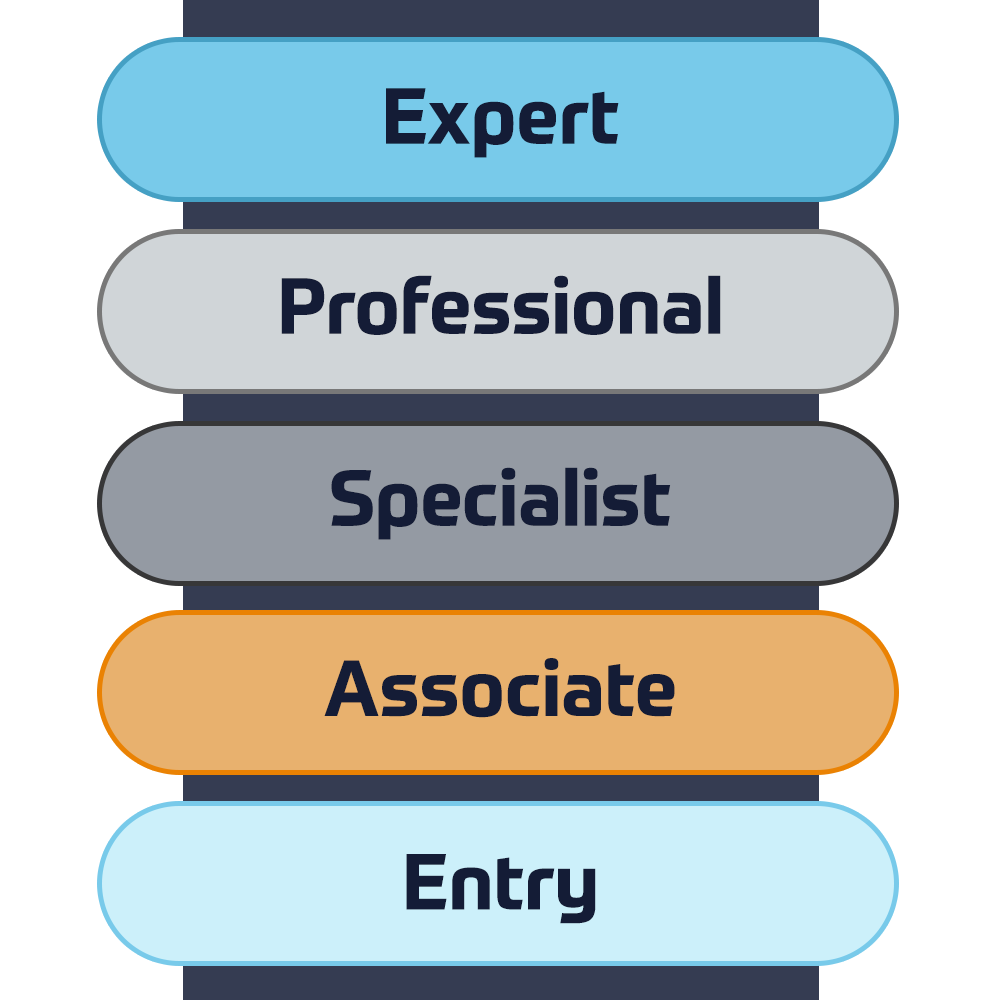
Cisco Certifications

Experience a blended learning approach that combines the best of instructor-led training and self-paced e-learning to help you prepare for your certification exam.

View More
Cisco Training Catalogue

Explore a wide variety of the Cisco courses, across different countries as well as online courses.

Browse Catalogue

Cisco Learning Credits

Cisco Learning Credits (CLCs) are prepaid training vouchers redeemed directly with Cisco that make planning for your success easier when purchasing Cisco products and services.

Have CLCs and want to redeem them?
Cisco Continuing Education

The Cisco Continuing Education Program offers all active certification holders flexible options to recertify by completing a variety of eligible training items.

View More

Cisco Digital Learning

Certified employees are VALUED assets. Explore Cisco official Digital Learning Library to educate yourself through recorded sessions.

Browse CDLL Catalogue

Cisco Business Enablement

The Cisco Business Enablement Partner Program focuses on sharpening the business skills of Cisco Channel Partners and customers.

View More
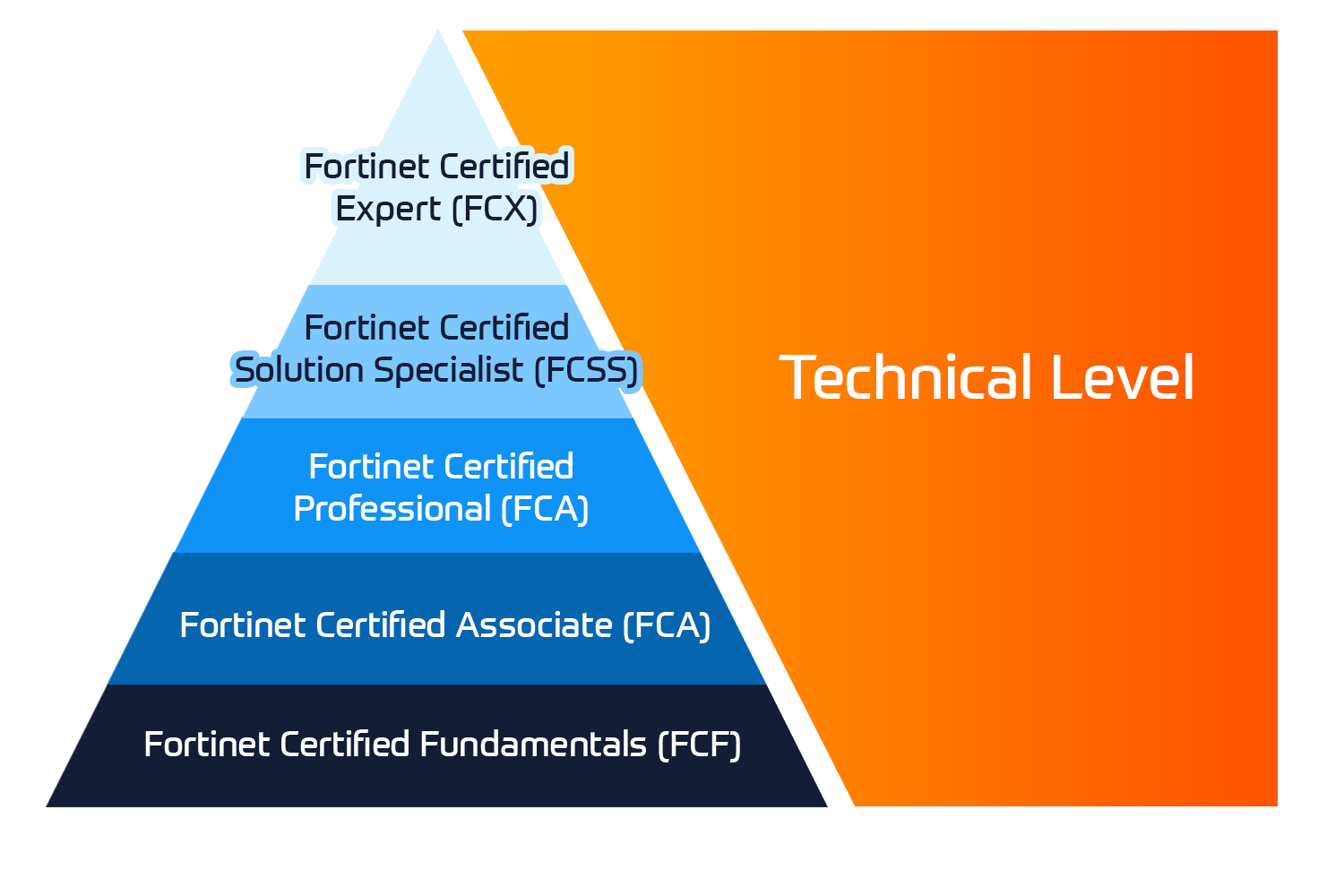
Fortinet Technical Certifications

The Fortinet Network Security Expert (NSE) program is an eight-level training and certification program to teach engineers of their network security for Fortinet FW skills and experience.

View More


Fortinet Technical Courses

Insoft is recognised as Fortinet Authorized Training Center in selected locations across EMEA.

View More

Fortinet Training Catalogue

Explore the full Fortinet training catalogue. The program includes a wide range of self-paced and instructor-led courses.

Browse Catalogue

Official ATC Status

Check our ATC Status across selected countries in Europe.

View More

Fortinet Services Packages

Insoft Services has developed a specific solution to streamline and simplify the process of installing or migrating to Fortinet Products.

Browse Packages

Prepforce Bootcamp

The only comprehensive source available today to prepare for Fortinet NSE 8 certification globally.

View More

Microsoft Training

Insoft Services provides Microsoft training in EMEAR. We offer Microsoft technical training and certification courses that are led by world-class instructors.

View More


Technical Training

The evolution of Extreme Networks Technical Training provides a comprehensive progressive pathway from Associate to Professional accreditation.

View More

Technical Certification

We provide comprehensive curriculum of technical competency skills on the certification accomplishment.

View More

Courses Catalogue

Find all the Extreme Networks online and instructor led class room based calendar here.

View More

ATP Accreditation

As an authorised training partner (ATP), Insoft Services ensures that you receive the highest standards of education available.

View More

Consulting package

We provide innovative and advanced support for designing, implementing and optimising IT solutions. Our client-base includes some of the largest Telcos globally.

Solutions and services

Globally recognised team of certified experts helps you make a smoother transition with our pre-defined consultancy, installation and migration packages for a wide range of Fortinet products.


About Us

Our training portfolio includes a wide range of IT training from IP providers, including Cisco, Extreme Networks, Fortinet, Microsoft, to name a few, in EMEA.

View More


  • +44 20 7131 0263
  • Designing and Implementing Microsoft Azure Networking Solutions (AZ-700T00-A)

    Duration
    3 days
    Delivery
    (Online and onsite)
    Price
    Price Upon Request

    This course teaches Network Engineers how to design, implement, and maintain Azure networking solutions. This course covers the process of designing, implementing, and managing core Azure networking infrastructure, Hybrid Networking connections, load balancing traffic, network routing, private access to Azure services, network security and monitoring. Learn how to design and implement a secure, reliable, network infrastructure in Azure and how to establish hybrid connectivity, routing, private access to Azure services, and monitoring in Azure.


    Associated Certification:

    • Microsoft Certified: Azure Network Engineer Associate
    • Design, implement and manage hybrid network connections
    • Design and implement core Azure networking infrastructure
    • Design and implement routing and load balancing in Azure
    • Secure and monitor networks
    • Design and implement private access to Azure Services

    Module 1: Introduction to Azure Virtual Networks

    In this module you will learn how to design and implement fundamental Azure Networking resources such as virtual networks, public and private IPs, DNS, virtual network peering, routing, and Azure Virtual NAT.


    Lesson

    • Explore Azure Virtual Networks
    • Configure public IP services
    • Design name resolution for your Virtual Network
    • Enable Cross-VNet connectivity with peering
    • Implement virtual network traffic routing
    • Configure internet access with Azure Virtual NAT
    • Lab : Exercise: design and implement a Virtual Network in Azure
    • Lab : Exercise: configure DNS settings in Azure
    • Lab : Exercise: connect two Azure Virtual Networks using global virtual network peering

    After completing this module, students will be able to:

    • Implement virtual networks
    • Configure public IP services
    • Configure private and public DNS zones
    • Design and implement cross-VNET connectivity
    • Implement virtual network routing
    • Design and implement an Azure Virtual Network NAT


    Module 2: Design and Implement Hybrid Networking

    In this module you will learn how to design and implement hybrid networking solutions such as Site-to-Site VPN connections, Point-to-Site VPN connections, Azure Virtual WAN and Virtual WAN hubs.


    Lesson

    • Design and implement Azure VPN Gateway
    • Connect networks with Site-to-site VPN connections
    • Connect devices to networks with Point-to-site VPN connections
    • Connect remote resources by using Azure Virtual WANs
    • Create a network virtual appliance (NVA) in a virtual hub
    • Lab : Exercise: create and configure a virtual network gateway
    • Lab : Exercise: create a Virtual WAN by using Azure Portal

    After completing this module, students will be able to:

    • Design and implement a site-to-site VPN connection
    • Design and implement a point-to-site VPN connection
    • Design and implement Azure Virtual WAN Resources


    Module 3: Design and implement Azure ExpressRoute

    In this module you will learn how to design and implement Azure ExpressRoute, ExpressRoute Global Reach, ExpressRoute FastPath and ExpressRoute Peering options.


    Lesson

    • Explore Azure ExpressRoute
    • Design an ExpressRoute deployment
    • Configure peering for an ExpressRoute deployment
    • Connect an ExpressRoute circuit to a VNet
    • Connect geographically dispersed networks with ExpressRoute global reach
    • Improve data path performance between networks with ExpressRoute FastPath
    • Troubleshoot ExpressRoute connection issues
    • Lab : Exercise: configure an ExpressRoute gateway
    • Lab : Exercise: provision an ExpressRoute circuit

    After completing this module, students will be able to:

    • Design and implement Expressroute
    • Design and implement Expressroute Direct
    • Design and implement Expressroute FastPath


    Module 4: load balancing non-HTTP(S) traffic in Azure

    In this module you will learn how to design and implement load balancing solutions for non-HTTP(S) traffic in Azure with Azure Load balancer and Traffic Manager.


    Lesson

    • Explore load balancing
    • Design and implement Azure load balancer using the Azure portal
    • Explore Azure Traffic Manager
    • Lab : Exercise: create and configure an Azure load balancer
    • Lab : Exercise: create a Traffic Manager profile using the Azure portal

    After completing this module, students will be able to:

    • Design and implement Azure Laod Balancers
    • Design and implement Azure Traffic Manager


    Module 5: Load balancing HTTP(S) traffic in Azure

    In this module you will learn how to design and implement load balancing solutions for HTTP(S) traffic in Azure with Azure Application gateway and Azure Front Door.


    Lesson

    • Design Azure application gateway
    • Configure Azure application gateway
    • Design and configure Azure front door
    • Lab : Exercise: deploy Azure application gateway
    • Lab : Exercise: create a front door for a highly available web application

    After completing this module, students will be able to:

    • Design and implement Azure Application Gateway
    • Implement Azure Front Door


    Module 6: Design and implement network security

    In this module you will learn to design and imponent network security solutions such as Azure DDoS, Azure Firewalls, Network Security Groups, and Web Application Firewall.


    Lesson

    • Secure your virtual networks in the Azure portal
    • Deploy Azure DDoS Protection by using the Azure portal
    • Deploy Network Security Groups by using the Azure portal
    • Design and implement Azure Firewall
    • Working with Azure Firewall Manager
    • Implement a Web Application Firewall on Azure Front Door
    • Lab : Exercise: configure DDoS Protection on a virtual network using the Azure portal
    • Lab : Exercise: deploy and configure Azure Firewall using the Azure portal
    • Lab : Exercise: secure your virtual hub using Azure Firewall Manager

    After completing this module, students will be able to:

    • Configure and monitor an Azure DDoS protection plan
    • implement and manage Azure Firewall
    • Implement network security groups
    • Implement a web application firewall (WAF) on Azure Front Door


    Module 7: Design and implement private access to Azure Services

    In this module you will learn to design and implement private access to Azure Services with Azure Private Link, and virtual network service endpoints.


    Lesson

    • Define Private Link Service and private endpoint
    • Explain virtual network service endpoints
    • Integrate Private Link with DNS
    • Integrate your App Service with Azure virtual networks
    • Lab : Exercise: create an Azure private endpoint using Azure PowerShell
    • Lab : Exercise: restrict network access to PaaS resources with virtual network service endpoints

    After completing this module, students will be able to:

    • Define the difference between Private Link Service and private endpoints
    • Design and configure private endpoints
    • Explain virtual network service endpoints
    • Design and configure access to service endpoints
    • Integrate Private Link with DNS
    • Integrate your App Service with Azure virtual networks


    Module 8: Design and implement network monitoring

    In this module you will learn to design and implement network monitoring solutions such as Azure Monitor and Network watcher.


    Lesson

    • Monitor your networks with Azure Monitor
    • Monitor your networks with Azure Network Watcher
    • Lab : Exercise: Monitor a load balancer resource by using Azure Monitor

    After completing this module, students will be able to:

    • Configure network health alerts and logging by using Azure Monitor
    • Create and configure a Connection Monitor instance
    • Configure and use Traffic Analytics
    • Configure NSG flow logs
    • Enable and configure diagnostic logging
    • Configure Azure Network Watcher

    This course is for Network Engineers looking to specialize in Azure networking solutions. An Azure Network engineer designs and implements core Azure networking infrastructure, hybrid networking connections, load balance traffic, network routing, private access to Azure services, network security and monitoring. The azure network engineer will manage networking solutions for optimal performance, resiliency, scale, and security.

    Successful Azure Network Engineers start this role with experience in enterprise networking, on-premises or cloud infrastructure and network security.


    • Understanding of on-premises virtualization technologies, including: VMs, virtual networking, and virtual hard disks.
    • Understanding of network configurations, including TCP/IP, Domain Name System (DNS), virtual private networks (VPNs), firewalls, and encryption technologies.
    • Understanding of software defined networking.
    • Understanding hybrid network connectivity methods, such as VPN.
    • Understanding resilience and disaster recovery, including high availability and restore operations.


    Prerequisite courses (or equivalent knowledge and hands-on experience):

    This free online training will give you the experience you need to be successful in this course.


    • Azure Fundamentals part 1: Describe core Azure concepts – Learn | Microsoft Docs
    • Azure Fundamentals part 2: Describe core Azure services – Learn | Microsoft Docs
    • Azure Fundamentals part 3: Describe core solutions and management tools on Azure – Learn | Microsoft Docs
    • Azure Fundamentals part 4: Describe general security and network security features – Learn | Microsoft Docs
    • AZ-104: Configure and manage virtual networks for Azure administrators – Learn | Microsoft Docs

    This course teaches Network Engineers how to design, implement, and maintain Azure networking solutions. This course covers the process of designing, implementing, and managing core Azure networking infrastructure, Hybrid Networking connections, load balancing traffic, network routing, private access to Azure services, network security and monitoring. Learn how to design and implement a secure, reliable, network infrastructure in Azure and how to establish hybrid connectivity, routing, private access to Azure services, and monitoring in Azure.


    Associated Certification:

    • Microsoft Certified: Azure Network Engineer Associate
    • Design, implement and manage hybrid network connections
    • Design and implement core Azure networking infrastructure
    • Design and implement routing and load balancing in Azure
    • Secure and monitor networks
    • Design and implement private access to Azure Services

    Module 1: Introduction to Azure Virtual Networks

    In this module you will learn how to design and implement fundamental Azure Networking resources such as virtual networks, public and private IPs, DNS, virtual network peering, routing, and Azure Virtual NAT.


    Lesson

    • Explore Azure Virtual Networks
    • Configure public IP services
    • Design name resolution for your Virtual Network
    • Enable Cross-VNet connectivity with peering
    • Implement virtual network traffic routing
    • Configure internet access with Azure Virtual NAT
    • Lab : Exercise: design and implement a Virtual Network in Azure
    • Lab : Exercise: configure DNS settings in Azure
    • Lab : Exercise: connect two Azure Virtual Networks using global virtual network peering

    After completing this module, students will be able to:

    • Implement virtual networks
    • Configure public IP services
    • Configure private and public DNS zones
    • Design and implement cross-VNET connectivity
    • Implement virtual network routing
    • Design and implement an Azure Virtual Network NAT


    Module 2: Design and Implement Hybrid Networking

    In this module you will learn how to design and implement hybrid networking solutions such as Site-to-Site VPN connections, Point-to-Site VPN connections, Azure Virtual WAN and Virtual WAN hubs.


    Lesson

    • Design and implement Azure VPN Gateway
    • Connect networks with Site-to-site VPN connections
    • Connect devices to networks with Point-to-site VPN connections
    • Connect remote resources by using Azure Virtual WANs
    • Create a network virtual appliance (NVA) in a virtual hub
    • Lab : Exercise: create and configure a virtual network gateway
    • Lab : Exercise: create a Virtual WAN by using Azure Portal

    After completing this module, students will be able to:

    • Design and implement a site-to-site VPN connection
    • Design and implement a point-to-site VPN connection
    • Design and implement Azure Virtual WAN Resources


    Module 3: Design and implement Azure ExpressRoute

    In this module you will learn how to design and implement Azure ExpressRoute, ExpressRoute Global Reach, ExpressRoute FastPath and ExpressRoute Peering options.


    Lesson

    • Explore Azure ExpressRoute
    • Design an ExpressRoute deployment
    • Configure peering for an ExpressRoute deployment
    • Connect an ExpressRoute circuit to a VNet
    • Connect geographically dispersed networks with ExpressRoute global reach
    • Improve data path performance between networks with ExpressRoute FastPath
    • Troubleshoot ExpressRoute connection issues
    • Lab : Exercise: configure an ExpressRoute gateway
    • Lab : Exercise: provision an ExpressRoute circuit

    After completing this module, students will be able to:

    • Design and implement Expressroute
    • Design and implement Expressroute Direct
    • Design and implement Expressroute FastPath


    Module 4: load balancing non-HTTP(S) traffic in Azure

    In this module you will learn how to design and implement load balancing solutions for non-HTTP(S) traffic in Azure with Azure Load balancer and Traffic Manager.


    Lesson

    • Explore load balancing
    • Design and implement Azure load balancer using the Azure portal
    • Explore Azure Traffic Manager
    • Lab : Exercise: create and configure an Azure load balancer
    • Lab : Exercise: create a Traffic Manager profile using the Azure portal

    After completing this module, students will be able to:

    • Design and implement Azure Laod Balancers
    • Design and implement Azure Traffic Manager


    Module 5: Load balancing HTTP(S) traffic in Azure

    In this module you will learn how to design and implement load balancing solutions for HTTP(S) traffic in Azure with Azure Application gateway and Azure Front Door.


    Lesson

    • Design Azure application gateway
    • Configure Azure application gateway
    • Design and configure Azure front door
    • Lab : Exercise: deploy Azure application gateway
    • Lab : Exercise: create a front door for a highly available web application

    After completing this module, students will be able to:

    • Design and implement Azure Application Gateway
    • Implement Azure Front Door


    Module 6: Design and implement network security

    In this module you will learn to design and imponent network security solutions such as Azure DDoS, Azure Firewalls, Network Security Groups, and Web Application Firewall.


    Lesson

    • Secure your virtual networks in the Azure portal
    • Deploy Azure DDoS Protection by using the Azure portal
    • Deploy Network Security Groups by using the Azure portal
    • Design and implement Azure Firewall
    • Working with Azure Firewall Manager
    • Implement a Web Application Firewall on Azure Front Door
    • Lab : Exercise: configure DDoS Protection on a virtual network using the Azure portal
    • Lab : Exercise: deploy and configure Azure Firewall using the Azure portal
    • Lab : Exercise: secure your virtual hub using Azure Firewall Manager

    After completing this module, students will be able to:

    • Configure and monitor an Azure DDoS protection plan
    • implement and manage Azure Firewall
    • Implement network security groups
    • Implement a web application firewall (WAF) on Azure Front Door


    Module 7: Design and implement private access to Azure Services

    In this module you will learn to design and implement private access to Azure Services with Azure Private Link, and virtual network service endpoints.


    Lesson

    • Define Private Link Service and private endpoint
    • Explain virtual network service endpoints
    • Integrate Private Link with DNS
    • Integrate your App Service with Azure virtual networks
    • Lab : Exercise: create an Azure private endpoint using Azure PowerShell
    • Lab : Exercise: restrict network access to PaaS resources with virtual network service endpoints

    After completing this module, students will be able to:

    • Define the difference between Private Link Service and private endpoints
    • Design and configure private endpoints
    • Explain virtual network service endpoints
    • Design and configure access to service endpoints
    • Integrate Private Link with DNS
    • Integrate your App Service with Azure virtual networks


    Module 8: Design and implement network monitoring

    In this module you will learn to design and implement network monitoring solutions such as Azure Monitor and Network watcher.


    Lesson

    • Monitor your networks with Azure Monitor
    • Monitor your networks with Azure Network Watcher
    • Lab : Exercise: Monitor a load balancer resource by using Azure Monitor

    After completing this module, students will be able to:

    • Configure network health alerts and logging by using Azure Monitor
    • Create and configure a Connection Monitor instance
    • Configure and use Traffic Analytics
    • Configure NSG flow logs
    • Enable and configure diagnostic logging
    • Configure Azure Network Watcher

    This course is for Network Engineers looking to specialize in Azure networking solutions. An Azure Network engineer designs and implements core Azure networking infrastructure, hybrid networking connections, load balance traffic, network routing, private access to Azure services, network security and monitoring. The azure network engineer will manage networking solutions for optimal performance, resiliency, scale, and security.

    Successful Azure Network Engineers start this role with experience in enterprise networking, on-premises or cloud infrastructure and network security.


    • Understanding of on-premises virtualization technologies, including: VMs, virtual networking, and virtual hard disks.
    • Understanding of network configurations, including TCP/IP, Domain Name System (DNS), virtual private networks (VPNs), firewalls, and encryption technologies.
    • Understanding of software defined networking.
    • Understanding hybrid network connectivity methods, such as VPN.
    • Understanding resilience and disaster recovery, including high availability and restore operations.


    Prerequisite courses (or equivalent knowledge and hands-on experience):

    This free online training will give you the experience you need to be successful in this course.


    • Azure Fundamentals part 1: Describe core Azure concepts – Learn | Microsoft Docs
    • Azure Fundamentals part 2: Describe core Azure services – Learn | Microsoft Docs
    • Azure Fundamentals part 3: Describe core solutions and management tools on Azure – Learn | Microsoft Docs
    • Azure Fundamentals part 4: Describe general security and network security features – Learn | Microsoft Docs
    • AZ-104: Configure and manage virtual networks for Azure administrators – Learn | Microsoft Docs
      Upcoming Dates
      Date on Request

    Follow Up Courses

    Filter
    • 4 days
      Date on Request
      Price on Request
      Book Now
    • 4 days
      Date on Request
      Price on Request
      Book Now
    • 4 days
      Date on Request
      Price on Request
      Book Now
    • 4 days
      Date on Request
      Price on Request
      Book Now
    • 4 days
      Date on Request
      Price on Request
      Book Now
    • 2 days
      Date on Request
      Price on Request
      Book Now
    • 4 days
      Date on Request
      Price on Request
      Book Now
    • 4 days
      Date on Request
      Price on Request
      Book Now
    • 4 days
      Date on Request
      Price on Request
      Book Now
    • 4 days
      Date on Request
      Price on Request
      Book Now

    Know someone who´d be interested in this course?
    Let them know...

    Use the hashtag #InsoftLearning to talk about this course and find students like you on social media.