



Cisco Training Courses

Insoft has been serving IT community with official Cisco training offering since 2010. Find all the relevant information on Cisco training on this page.

View More

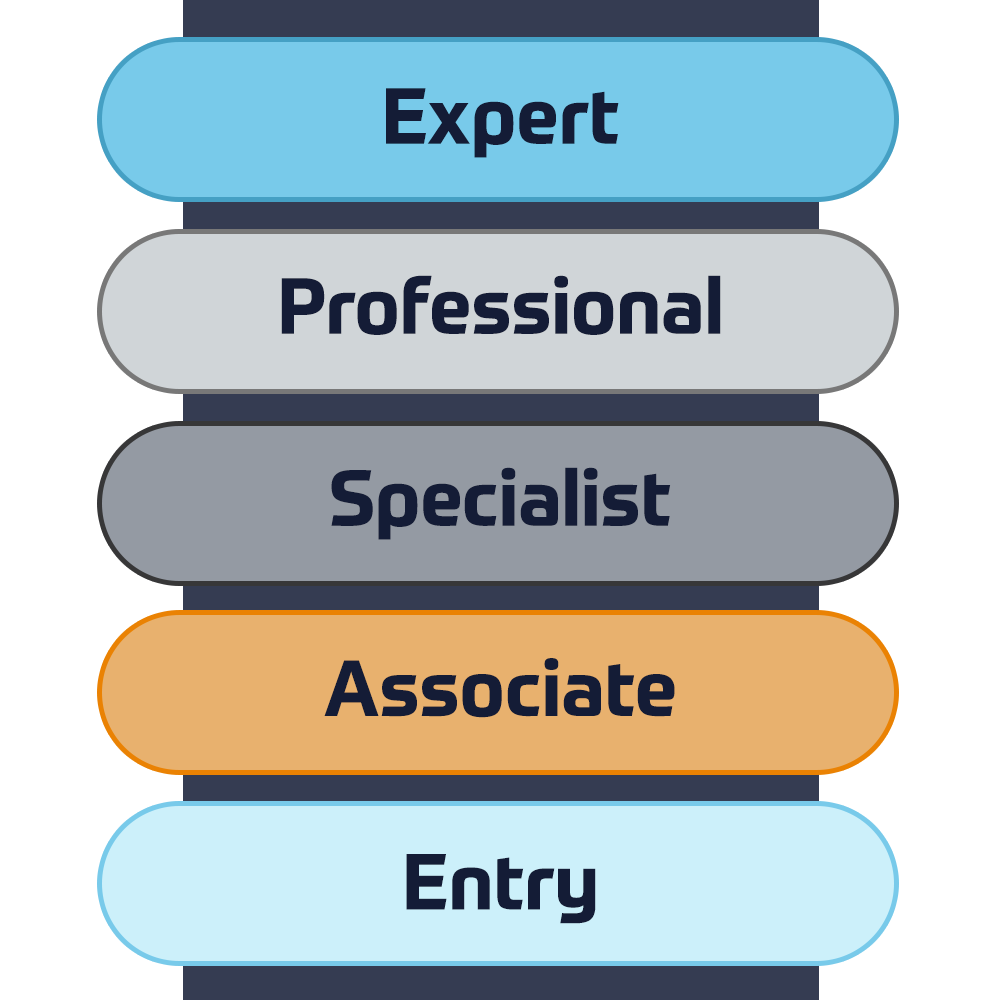
Cisco Certifications

Experience a blended learning approach that combines the best of instructor-led training and self-paced e-learning to help you prepare for your certification exam.

View More

Cisco Training Catalogue

Explore a wide variety of the Cisco courses, across different countries as well as online courses.

Browse Catalogue

Cisco Learning Credits

Cisco Learning Credits (CLCs) are prepaid training vouchers redeemed directly with Cisco that make planning for your success easier when purchasing Cisco products and services.

Have CLCs and want to redeem them?

Cisco Continuing Education

The Cisco Continuing Education Program offers all active certification holders flexible options to recertify by completing a variety of eligible training items.

View More

Cisco Digital Learning

Certified employees are VALUED assets. Explore Cisco official Digital Learning Library to educate yourself through recorded sessions.

Browse CDLL Catalogue

Cisco Business Enablement

The Cisco Business Enablement Partner Program focuses on sharpening the business skills of Cisco Channel Partners and customers.

View More
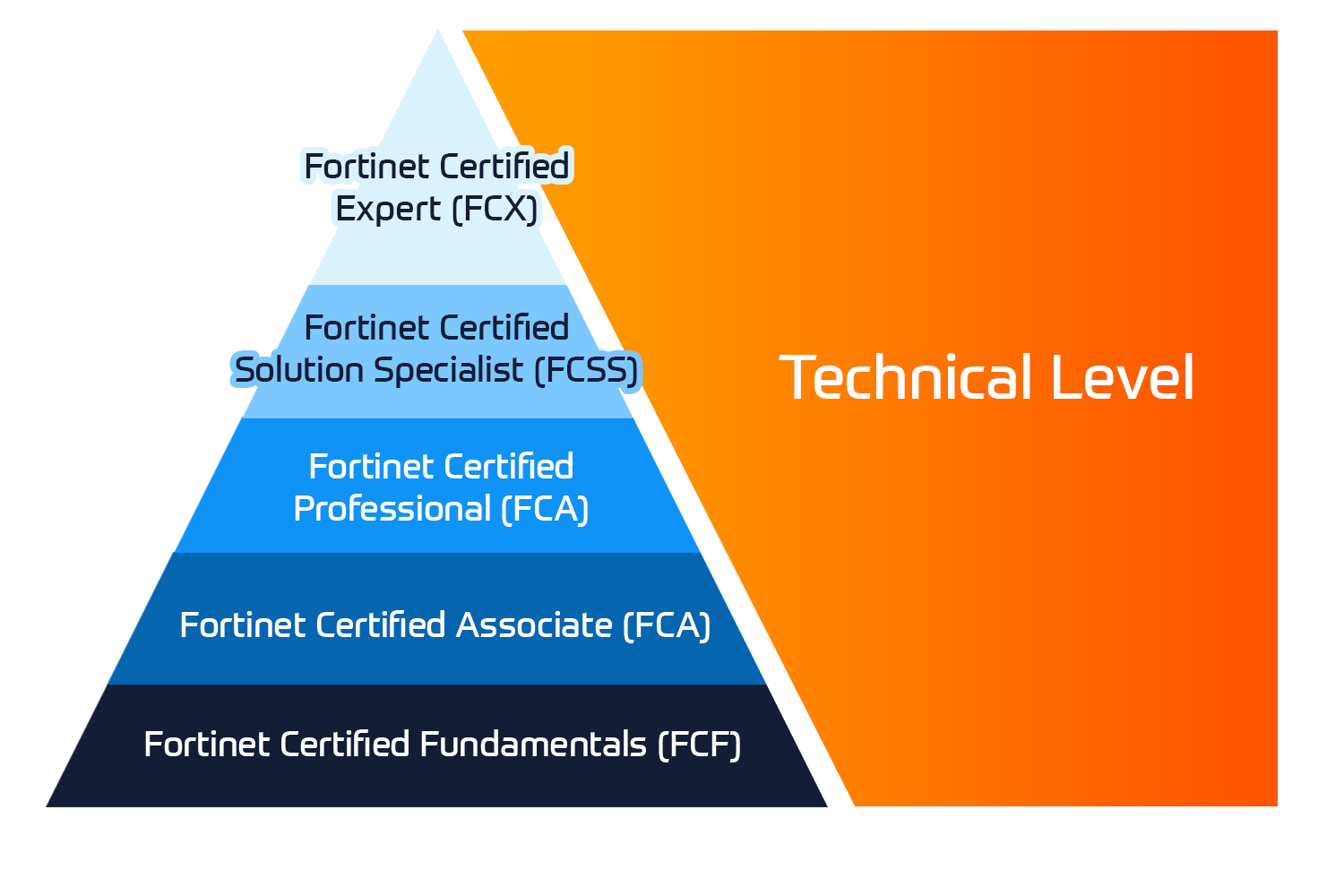
Fortinet Technical Certifications

The Fortinet Network Security Expert (NSE) program is an eight-level training and certification program to teach engineers of their network security for Fortinet FW skills and experience.

View More


Fortinet Technical Courses

Insoft is recognised as Fortinet Authorized Training Center in selected locations across EMEA.

View More

Fortinet Training Catalogue

Explore the full Fortinet training catalogue. The program includes a wide range of self-paced and instructor-led courses.

Browse Catalogue

Official ATC Status

Check our ATC Status across selected countries in Europe.

View More

Fortinet Services Packages

Insoft Services has developed a specific solution to streamline and simplify the process of installing or migrating to Fortinet Products.

Browse Packages

Prepforce Bootcamp

The only comprehensive source available today to prepare for Fortinet NSE 8 certification globally.

View More

Microsoft Training

Insoft Services provides Microsoft training in EMEAR. We offer Microsoft technical training and certification courses that are led by world-class instructors.

View More


Technical Training

The evolution of Extreme Networks Technical Training provides a comprehensive progressive pathway from Associate to Professional accreditation.

View More

Technical Certification

We provide comprehensive curriculum of technical competency skills on the certification accomplishment.

View More

Courses Catalogue

Find all the Extreme Networks online and instructor led class room based calendar here.

View More

ATP Accreditation

As an authorised training partner (ATP), Insoft Services ensures that you receive the highest standards of education available.

View More

Consulting package

We provide innovative and advanced support for designing, implementing and optimising IT solutions. Our client-base includes some of the largest Telcos globally.

Solutions and services

Globally recognised team of certified experts helps you make a smoother transition with our pre-defined consultancy, installation and migration packages for a wide range of Fortinet products.


About Us

Our training portfolio includes a wide range of IT training from IP providers, including Cisco, Extreme Networks, Fortinet, Microsoft, to name a few, in EMEA.

View More

  • +44 20 7131 0263
  • Designing and Implementing Storage on AWS

    Duration
    3 days
    Delivery
    (Online and onsite)
    Price
    Price Upon Request

    AWS offers a broad portfolio of storage services and solutions with diverse capabilities for storing, accessing, and protecting your data. In this course, you will learn where, how, and when to take advantage of these different service offerings. You will learn which services to consider when looking to solve your data storage challenges. You will learn how to best evaluate your options in selecting the appropriate AWS storage service to meet your use case and business requirements. You will also gain a better understanding of how to store, manage, and protect your data in the cloud. Through a series of hands-on exercises that demonstrate the ease and power of AWS platform, you will learn how to quickly provision powerful storage solutions in minutes.


    • Course level: Intermediate

    In this course, you will learn to:

    • Describe the benefits of the core AWS storage services and identify some of their primary use cases
    • Select and design an appropriate storage solution according to application and business requirements
    • Configure storage resources to work with the broad array of AWS service offerings
    • Select the right method to move data between on-premises workloads and the AWS Cloud
    • Design storage solutions to protect data at rest and in transit
    • Set up monitoring and observability for Cloud storage to gain insight into access patterns, utilization, and efficiency
    • Design and optimize storage solutions according to cost, scalability, and performance requirements

    Day 1


    Module 1: Introduction to Cloud Storage

    • Storage in the AWS cloud
    • Designing Well Architected Storage Solutions
    • Designing Durable and Available Storage Solutions
    • Building Accessible and Secure Storage Solutions

    Module 2: Designing Object Storage Solutions in AWS

    • What is object storage?
    • Planning and designing your Amazon S3 deployment
    • Managing Amazon S3
    • Access Control with Amazon S3
    • Hands-On Lab: Exploring S3 Access Control and S3 Object Lambda

    Module 3: Implementing Object Storage solutions with S3

    • Cost management and the data lifecycle
    • Managing data transfers into Amazon S3
    • Data protection in Amazon S3
    • Manage objects stored in Amazon S3 at scale
    • Hands-on Lab: Multi-Part Uploads, Batch Operations, and Cross-Region Replication with Amazon S3

    Module 4: Designing Block storage solutions in AWS

    • Block storage fundamentals
    • Amazon Elastic Block Store (Amazon EBS)
    • Configuring EBS volume types
    • EC2 and EBS encryption


    Day 2


    Module 5: Implementing Block Storage Solutions with Amazon EBS

    • Creating EBS volumes
    • Managing EBS volumes
    • Managing EBS snapshots at scale
    • Hands-On Lab: Managing EBS Volumes: Capacity, Performance, and Data Protection

    Module 6: File Storage and Amazon EFS

    • Cloud-based file storage
    • Amazon EFS overview
    • Accessing Amazon EFS
    • Securing and protecting Amazon EFS file systems
    • Hands-On Lab: Using Amazon EFS with AWS Lambda and Amazon ECS

    Module 7: Cloud file storage with Amazon FSx

    • Amazon FSx overview
    • Amazon FSx for Windows File Server
    • Amazon FSx for NetAPP ONTAP
    • Amazon FSx for OpenZFS
    • Amazon FSx for Lustre
    • Choosing an Amazon FSx service
    • Hands-On Lab: Working with FSx for NetApp ONTAP and FSx for OpenZFS


    Day 3


    Module 8: Hybrid and Edge Cloud Storage

    • Hybrid and edge cloud storage overview
    • Introduction to AWS Storage Gateway
    • AWS Storage Gateway architectures
    • AWS Snow Family

    Module 9: Moving data to AWS

    • Moving data to AWS
    • Working with AWS DataSync
    • Implementing AWS Transfer Family
    • Hands-On Lab: Moving Data with Storage Gateway and DataSync

    Module 10: Backup and Disaster Recovery with AWS

    • Designing a data protection strategy
    • AWS Backup
    • Creating backup plans
    • Working with AWS DRS
    • Hands-On Lab: Creating and Restoring Backups with AWS Backup

    Module 11: Monitoring, Automating, and Optimizing your AWS Storage

    • AWS Observability Services
    • Amazon S3 Storage Lens
    • Amazon CloudWatch
    • AWS CloudTrail
    • AWS Config
    • AWS Compute Optimizer
    • Hands-On Lab: Storage Monitoring, Automation, and Optimization

    This course is intended for:

    • Solution Architects
    • Cloud Storage Engineers
    • Cloud Operations Specialists
    • DevOps Engineers

    We recommend that attendees of this course have:

    • Completed AWS Cloud Practitioner Essentials, AWS Technical Essentials, or equivalent real-world experience

    AWS offers a broad portfolio of storage services and solutions with diverse capabilities for storing, accessing, and protecting your data. In this course, you will learn where, how, and when to take advantage of these different service offerings. You will learn which services to consider when looking to solve your data storage challenges. You will learn how to best evaluate your options in selecting the appropriate AWS storage service to meet your use case and business requirements. You will also gain a better understanding of how to store, manage, and protect your data in the cloud. Through a series of hands-on exercises that demonstrate the ease and power of AWS platform, you will learn how to quickly provision powerful storage solutions in minutes.


    • Course level: Intermediate

    In this course, you will learn to:

    • Describe the benefits of the core AWS storage services and identify some of their primary use cases
    • Select and design an appropriate storage solution according to application and business requirements
    • Configure storage resources to work with the broad array of AWS service offerings
    • Select the right method to move data between on-premises workloads and the AWS Cloud
    • Design storage solutions to protect data at rest and in transit
    • Set up monitoring and observability for Cloud storage to gain insight into access patterns, utilization, and efficiency
    • Design and optimize storage solutions according to cost, scalability, and performance requirements

    Day 1


    Module 1: Introduction to Cloud Storage

    • Storage in the AWS cloud
    • Designing Well Architected Storage Solutions
    • Designing Durable and Available Storage Solutions
    • Building Accessible and Secure Storage Solutions

    Module 2: Designing Object Storage Solutions in AWS

    • What is object storage?
    • Planning and designing your Amazon S3 deployment
    • Managing Amazon S3
    • Access Control with Amazon S3
    • Hands-On Lab: Exploring S3 Access Control and S3 Object Lambda

    Module 3: Implementing Object Storage solutions with S3

    • Cost management and the data lifecycle
    • Managing data transfers into Amazon S3
    • Data protection in Amazon S3
    • Manage objects stored in Amazon S3 at scale
    • Hands-on Lab: Multi-Part Uploads, Batch Operations, and Cross-Region Replication with Amazon S3

    Module 4: Designing Block storage solutions in AWS

    • Block storage fundamentals
    • Amazon Elastic Block Store (Amazon EBS)
    • Configuring EBS volume types
    • EC2 and EBS encryption


    Day 2


    Module 5: Implementing Block Storage Solutions with Amazon EBS

    • Creating EBS volumes
    • Managing EBS volumes
    • Managing EBS snapshots at scale
    • Hands-On Lab: Managing EBS Volumes: Capacity, Performance, and Data Protection

    Module 6: File Storage and Amazon EFS

    • Cloud-based file storage
    • Amazon EFS overview
    • Accessing Amazon EFS
    • Securing and protecting Amazon EFS file systems
    • Hands-On Lab: Using Amazon EFS with AWS Lambda and Amazon ECS

    Module 7: Cloud file storage with Amazon FSx

    • Amazon FSx overview
    • Amazon FSx for Windows File Server
    • Amazon FSx for NetAPP ONTAP
    • Amazon FSx for OpenZFS
    • Amazon FSx for Lustre
    • Choosing an Amazon FSx service
    • Hands-On Lab: Working with FSx for NetApp ONTAP and FSx for OpenZFS


    Day 3


    Module 8: Hybrid and Edge Cloud Storage

    • Hybrid and edge cloud storage overview
    • Introduction to AWS Storage Gateway
    • AWS Storage Gateway architectures
    • AWS Snow Family

    Module 9: Moving data to AWS

    • Moving data to AWS
    • Working with AWS DataSync
    • Implementing AWS Transfer Family
    • Hands-On Lab: Moving Data with Storage Gateway and DataSync

    Module 10: Backup and Disaster Recovery with AWS

    • Designing a data protection strategy
    • AWS Backup
    • Creating backup plans
    • Working with AWS DRS
    • Hands-On Lab: Creating and Restoring Backups with AWS Backup

    Module 11: Monitoring, Automating, and Optimizing your AWS Storage

    • AWS Observability Services
    • Amazon S3 Storage Lens
    • Amazon CloudWatch
    • AWS CloudTrail
    • AWS Config
    • AWS Compute Optimizer
    • Hands-On Lab: Storage Monitoring, Automation, and Optimization

    This course is intended for:

    • Solution Architects
    • Cloud Storage Engineers
    • Cloud Operations Specialists
    • DevOps Engineers

    We recommend that attendees of this course have:

    • Completed AWS Cloud Practitioner Essentials, AWS Technical Essentials, or equivalent real-world experience
      Upcoming Dates
    • ` 29 Dec - 31 Dec, 2025
    • ` 26 Jan - 28 Jan, 2026
    • ` 23 Feb - 25 Feb, 2026
    • ` 23 Mar - 25 Mar, 2026
    • ` 20 Apr - 22 Apr, 2026
    • ` 18 May - 20 May, 2026

    Follow Up Courses

    Filter
    • 1 days
      Date on Request
      Price on Request
      Book Now
    • 2 days
      Date on Request
      Price on Request
      Book Now
    • 3 days
      Date on Request
      Price on Request
      Book Now
    • 1 days
      Date on Request
      Price on Request
      Book Now
    • 1 days
      Date on Request
      Price on Request
      Book Now
    • 1 days
      Date on Request
      Price on Request
      Book Now
    • 3 days
      Date on Request
      Price on Request
      Book Now
    • 1 days
      Date on Request
      Price on Request
      Book Now
    • 3 days
      Date on Request
      Price on Request
      Book Now
    • 1 days
      Date on Request
      Price on Request
      Book Now

    Know someone who´d be interested in this course?
    Let them know...

    Use the hashtag #InsoftLearning to talk about this course and find students like you on social media.