

 United Kingdom
 Germany
 Denmark
 Norway
 Sweden
 Italy
Italy Finland

Cisco-training
Insoft Services is een van de weinige aanbieders van opleidingen in EMEAR tot een volledige reeks van Cisco-certificering en gespecialiseerde technische opleiding aan te bieden.
Lees meer
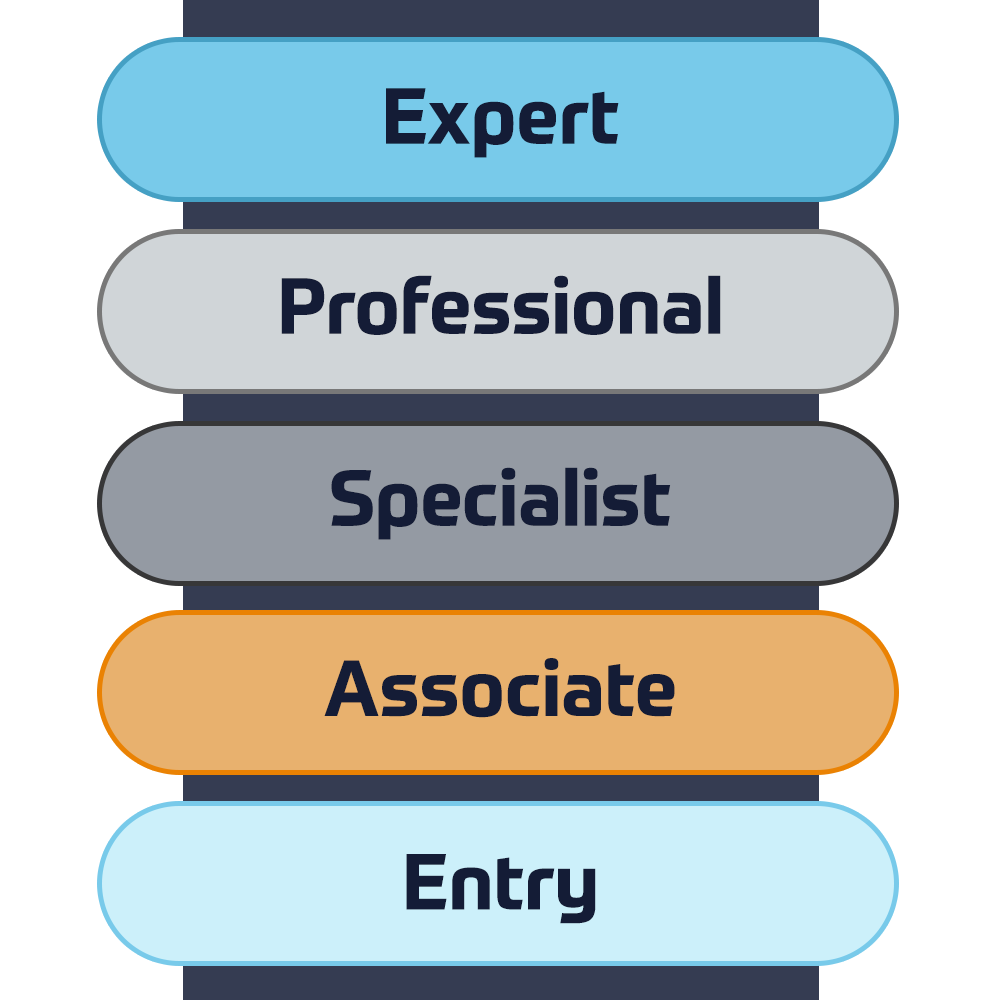
Cisco-certificering
Ervaar een blended learning-aanpak die het beste van door een instructeur geleide training en e-learning in eigen tempo combineert om u te helpen zich voor te bereiden op uw certificeringsexamen.
Lees meer

Cisco Learning Credits
Cisco Learning Credits (CLCs) zijn prepaid trainingsvouchers die rechtstreeks bij Cisco worden ingewisseld en die het plannen van uw succes eenvoudiger maken bij de aankoop van Cisco-producten en -services.
Lees meer
Cisco Continuing Education
Het Cisco Continuing Education Program biedt alle actieve certificeringshouders flexibele opties om opnieuw te certificeren door een verscheidenheid aan in aanmerking komende trainingsitems te voltooien.
Lees meer

Cisco Digital Learning
Gecertificeerde medewerkers zijn GEWAARDEERDE activa. Verken de officiële Digital Learning Library van Cisco om uzelf te informeren via opgenomen sessies.
Lees meer

Cisco Business Enablement
Het Cisco Business Enablement Partner Program richt zich op het aanscherpen van de zakelijke vaardigheden van Cisco Channel Partners en klanten.
Lees meer
Cisco trainingscatalogus
Het Cisco Business Enablement Partner Program richt zich op het aanscherpen van de zakelijke vaardigheden van Cisco Channel Partners en klanten.
Lees meer
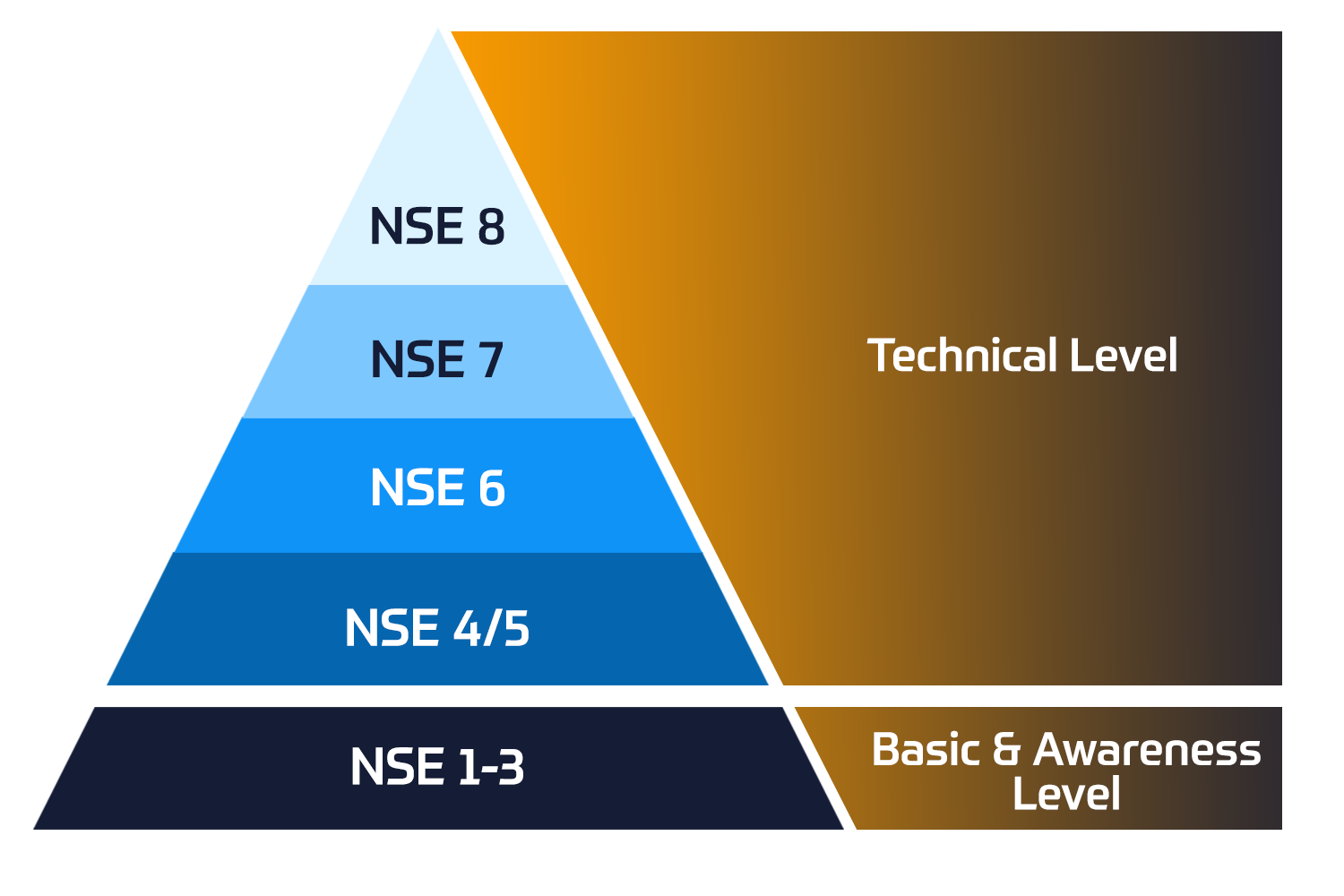
Fortinet-certificering
Het Fortinet Network Security Expert (NSE) -programma is een training- en certificeringsprogramma op acht niveaus om ingenieurs van hun netwerkbeveiliging te leren voor Fortinet FW-vaardigheden en -ervaring.
Technische trainingen

Fortinet-training
Insoft is erkend als Fortinet Authorized Training Center op geselecteerde locaties in EMEA.
Lees meer

Fortinet trainingscatalogus
Bekijk de volledige Fortinet trainingscatalogus. Het programma omvat een breed scala aan cursussen in eigen tempo en onder leiding van een instructeur.
Lees meer

Fortinet Professionele Services
Wereldwijd erkend team van gecertificeerde experts helpt u een soepelere overgang te maken met onze vooraf gedefinieerde consultancy-, installatie- en migratiepakketten voor een breed scala aan Fortinet-producten.
Lees meer

Microsoft-training
Insoft Services biedt Microsoft-trainingen in EMEAR. We bieden technische trainingen en certificeringscursussen van Microsoft aan die worden geleid door instructeurs van wereldklasse.
Technische cursussen

Extreme-training
Find all the Extreme Networks online and instructor led class room based calendar here.
Technische cursussen

Technische-certificering
We provide comprehensive curriculum of technical competency skills on the certification accomplishment.
Lees meer

Extreme trainingscatalogus
Leer uitzonderlijke kennis en vaardigheden van Extreme Networks
Lees meer

ATP accreditatie
Als geautoriseerde trainingspartner (ATP) zorgt Insoft Services ervoor dat u de hoogste onderwijsnormen krijgt die beschikbaar zijn.
Lees meer

Services Oplossingen
Wij bieden innovatieve en geavanceerde ondersteuning bij het ontwerpen, implementeren en optimaliseren van IT-oplossingen.Ons klantenbestand omvat enkele van de grootste Telco's ter wereld.
Oplossingen
Wereldwijd erkend team van gecertificeerde experts helpt u een soepelere overgang te maken met onze vooraf gedefinieerde consultancy-, installatie- en migratiepakketten voor een breed scala aan Fortinet-producten.







Over ons
Insoft biedt geautoriseerde trainings- en consultancydiensten voor geselecteerde IP-leveranciers. Ontdek hoe we een revolutie teweegbrengen in de industrie.
Lees meer
Forcepoint Secure SD-WAN Administrator

 Duration
3 Dagen
 Delivery
 Online
 Price
Price Price Upon Request
In this Forcepoint Secure SD-WAN Administrator course, you will learn how to install, configure, administer, and support Forcepoint Secure SD-WAN. Through instructional content, demonstrations, and hands-on lab practice exercises, you will learn the requirements and recommendations to successfully deploy the product in a variety of network environments. You will also develop expertise in creating security rules and policies, managing users and authentication, configuring VPNs, traffic deep inspection, and performing common administration tasks including status monitoring and reporting.
- Access the virtual training environment, class materials and lab environment.
- Identify the components of the SMC and their roles.
- Administer the SMC components and use them to manage and monitor SD-WAN Engines.
- Configure security policies and access control.
- Configure network address translation.
- Implement deep inspection through policies and templates.
- Implement alerting and notification.
- Manage users and authentication.
- Configure an SSL VPN portal.
- Configure a site-to-site SD-WAN.
- Manage log collection and storage.
- Utilize monitoring, statistics, and reporting.
- Employ policy management tools.
- Generate diagnostic reports for troubleshooting.
- Integrate SD-WAN with other Forcepoint solutions.
- Perform basic troubleshooting of SD-WAN.
- Install a single Engine
Module 0: Introducing the Course
- Introduction to the virtual training environment.
Module 1: Exploring the Engine
- List the benefits and differentiators of Secure SD-WAN.
- Describe the Secure SD-WAN Engine and appliances.
- Differentiate between virtual Engines and virtual appliances.
- Describe at least one of the installation methods.
- List the four common Secure SD-WAN deployments.
Module 2: Reviewing the Secure SD-WAN Manager Console (SMC)
- Describe the Secure SD-WAN Manager console and its key features.
- Describe the Secure SD-WAN system architecture.
- Identify the ports used for communication between the SMC components.
- Explain the use of locations and contact addresses.
- Explain the use of SMC Domains.
Module 3: Getting Started with the Secure SD-WAN Manager Console (SMC)
- Describe the management client and how it works.
- Create system backups.
- Describe the SMC high availability options.
- Configure the SMC Administrator Access.
- Apply configuration to Secure SD-WAN Engines.
- Describe how logs work.
Module 4: Reviewing Policies and Templates
- Describe the types of Engine policies.
- Define Engine policy templates.
- Create an Engine policy hierarchy.
- Describe the benefits of aliases and continue rules.
Module 5: Configuring Access and NAT Rules
- Explain how traffic is matched in access rules.
- Explain the different types of access rules.
- Describe the actions for processing traffic in access rules.
- Explain the different types of NAT.
- Configure NAT rules.
Module 6: Introducing Traffic Inspection
- Explain the difference between a service, service with protocol, and proxy.
- Explain the enhanced access control methods.
- Explain different ways to control applications.
- List the detection methods used in the Engine Inspection.
- Describe advanced evasion techniques (AETs) and normalization.
- Describe TLS Inspection.
- Configure Snort inspection on Engine.
- List the Forcepoint and third-party products that integrate with Forcepoint Engine.
Module 7: Setting up Inspection Policies
- Explain how to send traffic for deep packet inspection.
- Describe Forcepoint Engine situations and how to use them.
- Define the different types of rules in the inspection policy.
- Tune an inspection policy.
Module 8: Detecting Malware and Filtering Files
- List the different options for detecting malware.
- Explain how to send traffic for malware detection.
- Configure a file filtering policy.
- Integrate Forcepoint Engine with a Forcepoint Data Loss Prevention (DLP) system.
Module 9: Configuring Alerts and Notifications
- Explain the alert escalation process in Forcepoint Secure SD-WAN.
- Create an alert policy and alert chain to escalate an alert.
Module 10: Managing Users and Authentication
- Identify supported directory servers and authentication methods.
- Explain the browser-based user authentication mechanism.
- Configure user authentication.
- Differentiate between user authentication and user identification.
- Explain the difference between the Forcepoint UID and ECA.
- Configure user behavior monitoring.
Module 11: Configuring the SSL VPN Portal
- List Engine Mobile VPN Access options.
- Describe the SSL VPN Portal and the URL Rewrite translation method.
- Configure an SSL VPN Portal.
Module 12: Configuring SD-WAN
- Define the terms used by the Forcepoint SD-WAN feature.
- Explain how site-to-site SD-WANs work.
- Describe Full Mesh, Star, and Hub site-to-site SD-WAN topologies.
- List the SD-WAN features that Forcepoint Engine supports.
- Configure a policy-based SD-WAN
- Describe how route-based SD-WANs work.
Module 13: Analyzing Logs
- Describe the log entry types available in Forcepoint Secure SD-WAN.
- Use the Management Client interface to interpret and analyze logs.
- Configure and manage logs.
- Create permanent filters.
- Analyze how pruning filters affect log data.
- Configure the log server to forward logs to third-party SIEM systems.
- Describe the methods available for managing the space consumed by log data.
Module 14: Utilizing Policy Tools
- Describe the benefits of Policy Snapshots.
- Search rules in a Secure SD-WAN policy.
- Analyze policy structure and apply tools to optimize access rules.
Module 15: Monitoring Activity and Generating Reports
- Monitor the system and Engine activity.
- Describe the use of overviews in the SMC user interface.
- Configure and generate reports.
- Monitor Application Health.
Module 16: Introducing Troubleshooting Tools and Techniques
- Explain the troubleshooting process.
- Use the SMC for troubleshooting.
- Explain how to collect diagnostics for Technical Support.
- Resolve common SMC issues.
- Explain how Engine packet processing works.
Module 17: Installing a Single Engine
- Describe Engine deployment options.
- List features specific to single Engines.
- Configure a single Engine in the SMC.
- Configure an Engine for initial contact with the SMC.
- Establish the trust between SMC and a newly installed Engine.
- New and existing customers of Forcepoint Secure SD-WAN
- System Administrators, Network Administrators, IT staff
- Sales Engineers, Consultants, Implementation Specialists
- Forcepoint channel partners and IT staff
- Forcepoint Secure SD-WAN end users
- General understanding of system administration and Internet services
- Basic knowledge of networking and computer security concepts
In this Forcepoint Secure SD-WAN Administrator course, you will learn how to install, configure, administer, and support Forcepoint Secure SD-WAN. Through instructional content, demonstrations, and hands-on lab practice exercises, you will learn the requirements and recommendations to successfully deploy the product in a variety of network environments. You will also develop expertise in creating security rules and policies, managing users and authentication, configuring VPNs, traffic deep inspection, and performing common administration tasks including status monitoring and reporting.
- Access the virtual training environment, class materials and lab environment.
- Identify the components of the SMC and their roles.
- Administer the SMC components and use them to manage and monitor SD-WAN Engines.
- Configure security policies and access control.
- Configure network address translation.
- Implement deep inspection through policies and templates.
- Implement alerting and notification.
- Manage users and authentication.
- Configure an SSL VPN portal.
- Configure a site-to-site SD-WAN.
- Manage log collection and storage.
- Utilize monitoring, statistics, and reporting.
- Employ policy management tools.
- Generate diagnostic reports for troubleshooting.
- Integrate SD-WAN with other Forcepoint solutions.
- Perform basic troubleshooting of SD-WAN.
- Install a single Engine
Module 0: Introducing the Course
- Introduction to the virtual training environment.
Module 1: Exploring the Engine
- List the benefits and differentiators of Secure SD-WAN.
- Describe the Secure SD-WAN Engine and appliances.
- Differentiate between virtual Engines and virtual appliances.
- Describe at least one of the installation methods.
- List the four common Secure SD-WAN deployments.
Module 2: Reviewing the Secure SD-WAN Manager Console (SMC)
- Describe the Secure SD-WAN Manager console and its key features.
- Describe the Secure SD-WAN system architecture.
- Identify the ports used for communication between the SMC components.
- Explain the use of locations and contact addresses.
- Explain the use of SMC Domains.
Module 3: Getting Started with the Secure SD-WAN Manager Console (SMC)
- Describe the management client and how it works.
- Create system backups.
- Describe the SMC high availability options.
- Configure the SMC Administrator Access.
- Apply configuration to Secure SD-WAN Engines.
- Describe how logs work.
Module 4: Reviewing Policies and Templates
- Describe the types of Engine policies.
- Define Engine policy templates.
- Create an Engine policy hierarchy.
- Describe the benefits of aliases and continue rules.
Module 5: Configuring Access and NAT Rules
- Explain how traffic is matched in access rules.
- Explain the different types of access rules.
- Describe the actions for processing traffic in access rules.
- Explain the different types of NAT.
- Configure NAT rules.
Module 6: Introducing Traffic Inspection
- Explain the difference between a service, service with protocol, and proxy.
- Explain the enhanced access control methods.
- Explain different ways to control applications.
- List the detection methods used in the Engine Inspection.
- Describe advanced evasion techniques (AETs) and normalization.
- Describe TLS Inspection.
- Configure Snort inspection on Engine.
- List the Forcepoint and third-party products that integrate with Forcepoint Engine.
Module 7: Setting up Inspection Policies
- Explain how to send traffic for deep packet inspection.
- Describe Forcepoint Engine situations and how to use them.
- Define the different types of rules in the inspection policy.
- Tune an inspection policy.
Module 8: Detecting Malware and Filtering Files
- List the different options for detecting malware.
- Explain how to send traffic for malware detection.
- Configure a file filtering policy.
- Integrate Forcepoint Engine with a Forcepoint Data Loss Prevention (DLP) system.
Module 9: Configuring Alerts and Notifications
- Explain the alert escalation process in Forcepoint Secure SD-WAN.
- Create an alert policy and alert chain to escalate an alert.
Module 10: Managing Users and Authentication
- Identify supported directory servers and authentication methods.
- Explain the browser-based user authentication mechanism.
- Configure user authentication.
- Differentiate between user authentication and user identification.
- Explain the difference between the Forcepoint UID and ECA.
- Configure user behavior monitoring.
Module 11: Configuring the SSL VPN Portal
- List Engine Mobile VPN Access options.
- Describe the SSL VPN Portal and the URL Rewrite translation method.
- Configure an SSL VPN Portal.
Module 12: Configuring SD-WAN
- Define the terms used by the Forcepoint SD-WAN feature.
- Explain how site-to-site SD-WANs work.
- Describe Full Mesh, Star, and Hub site-to-site SD-WAN topologies.
- List the SD-WAN features that Forcepoint Engine supports.
- Configure a policy-based SD-WAN
- Describe how route-based SD-WANs work.
Module 13: Analyzing Logs
- Describe the log entry types available in Forcepoint Secure SD-WAN.
- Use the Management Client interface to interpret and analyze logs.
- Configure and manage logs.
- Create permanent filters.
- Analyze how pruning filters affect log data.
- Configure the log server to forward logs to third-party SIEM systems.
- Describe the methods available for managing the space consumed by log data.
Module 14: Utilizing Policy Tools
- Describe the benefits of Policy Snapshots.
- Search rules in a Secure SD-WAN policy.
- Analyze policy structure and apply tools to optimize access rules.
Module 15: Monitoring Activity and Generating Reports
- Monitor the system and Engine activity.
- Describe the use of overviews in the SMC user interface.
- Configure and generate reports.
- Monitor Application Health.
Module 16: Introducing Troubleshooting Tools and Techniques
- Explain the troubleshooting process.
- Use the SMC for troubleshooting.
- Explain how to collect diagnostics for Technical Support.
- Resolve common SMC issues.
- Explain how Engine packet processing works.
Module 17: Installing a Single Engine
- Describe Engine deployment options.
- List features specific to single Engines.
- Configure a single Engine in the SMC.
- Configure an Engine for initial contact with the SMC.
- Establish the trust between SMC and a newly installed Engine.
- New and existing customers of Forcepoint Secure SD-WAN
- System Administrators, Network Administrators, IT staff
- Sales Engineers, Consultants, Implementation Specialists
- Forcepoint channel partners and IT staff
- Forcepoint Secure SD-WAN end users
- General understanding of system administration and Internet services
- Basic knowledge of networking and computer security concepts
Follow Up Courses
-
3 DagenDatum op aanvraagPrice on RequestBook Now
-
5 DagenDatum op aanvraagPrice on RequestBook Now
-
5 DagenDatum op aanvraagPrice on RequestBook Now
-
3 DagenDatum op aanvraagPrice on RequestBook Now
-
4 DagenDatum op aanvraagPrice on RequestBook Now
-
3 DagenDatum op aanvraagPrice on RequestBook Now
-
3 DagenDatum op aanvraagPrice on RequestBook Now
-
5 DagenDatum op aanvraagPrice on RequestBook Now
 Schedule a Free Consultation